Dynamics AX
  RSS Feed  LinkedIn  Twitter
Want to turn you're data into a true asset? Ready to break free from the report factory?
Ready to gain true insights that are action focused for truly data informed decisions?
Want to do all of this across mutliple companies, instances of Dynamics and your other investments?
Hillstar Business Intelligence is the answer then! (www.HillstarBI.com)

Hillstar Business Intelligence for Microsoft Dynamics AX and NAV on Mobile, Desktop, Tablet


Let us prove to you how we can take the complexity out of the schema and truly enable users to answer the needed questions to run your business! Visit Hillstar Business Solutions at: www.HillstarBI.com

Tuesday, May 07, 2013

Beyond Dynamics AX with Business Intelligence


I hope everyone is having a blessed day, and you find yourself productive in our Dynamics filled world. May is once again here, and that means we tilt ever so closer towards our solar systems star - in the northern hemisphere that is. That also means planning for summer time vacation, baseball / softball, as well as an assortment of water related activities. The march towards summer begins, and that means the world around us continues to come alive.

With spring in full force, I thought it was time to talk about the needed topic of beyond Dynamics AX with Business Intelligence. Lets face it, more and more projects are being sold & implemented well, that has Microsoft Dynamics AX only acting as an operational ERP element. It's one spoke in the total solution for larger companies. When you have this reality, Dynamics AX is no longer the single data mart from which analytic's & insights are derived from.


As we see from the above image, when Dynamics AX is the data mart in which such BI artifacts solely are crafted around, then you have a very compelling story in which a companies total reporting needs can be told by. This is Sunrise's standard offering for business intelligence needs. That is: Office+SharePoint+SQL Server.

Are focus is expanded however, when the needs of the customer expand. To help facilitate the understanding of when and where this might be the case, let's start by listing a high level set of topics, that in turn will be used to guide into greater business insights for customers. Further, how each of these topics would drive to a more complete or total BI story that is crafted for a customer. All the while, keeping in mind that the tool is the last thing you focus on for a real BI project.

  • Dynamics AX is a spoke, not the hub - Here we have a total solution scenario, where Dynamics AX is an operational ERP element in a customers total solution. This means 2:n possible line-of-business applications that complete an end-to-end solution for a customer. When this is the case, items like real data warehouses, ETL, Master Data Management across the systems, and more must come into the picture. This further means that what tools are best for achieving the ultimate end goal might need to be extended beyond the Office+SharePoint+SQL Server.
  • Security & Exposure beyond the Dynamics AX walls - Here we have a need for an organization that has reporting requirements. These reporting requirements however dictate that there are business insights needed for employees that will not have, nor should not have access to Dynamics AX at all. When this is true, again, then we have directive for something that extends beyond the walled garden of Dynamics AX.
  • Mobile BI across a multitude of platforms - There is a very compelling story that can be told with the BI stack of Office+SharePoint+SQL Server. Mobile is very much apart of this, specifically with the release of Office 2013 and SharePoint 2013. However when you want a mobile BI platform, that needs to reach beyond the Microsoft world, in a more native way, then extending beyond the BI stack that comes with Dynamics AX is needed.
  • Abstraction - This last point is more focused around that true executive information system, or dashboard. With the continued improvements being made for Dynamics AX, and those improvements driving more technology and model churn, the need for abstracting away the C & B level executives from such churn is a valid one. Having something that extends beyond the Dynamics AX BI stack, can help abstract out the executive's and their analytical needs. Reality is, these might change some, but not at the rate in which technology, and further Dynamics AX is changing.


Visit Hillstar Business Intelligence (www.HillstarBI.com) in order to truly unlock your data trapped in your Microsoft Dynamics investment. With our value driven business intelligence strategy Hillstar help you transform into a data informed company.

The above, by far is not a final list but something that hopefully has you thinking in terms of a more complete BI solution. There is hardly ever any truth in we bought (insert product name) now we have BI! Real business intelligence for customers is always about the data first, then reporting need second, and finally the product or products that help delivery on said need last. Take into consideration any of the above points, and you have a more larger requirement - where selecting specific tools first could halt the needed progression that is demanded by the organization.

Over the next several weeks, I will continue to expand upon each of the above topics, and others in how I feel these are best addressed. This includes both the stack that comes with Dynamics AX, and beyond that for a total solution offering.


That's all for this post, I hope you have enjoyed it and your excited to hear more. One final note, I would like to say that I'm honored to have been listed once again this year in the DynamicsWorld Top 100 list. Top 25 again this year! Honestly the amount of work that some of the people put into the ecosystem, that I can be included with amazes me. This community as a whole has grown leaps and bounds over the past 3 years. I can't say enough of how honored I am to be included as part of it. Til Next Time!


Visit Hillstar Business Intelligence (www.HillstarBI.com) in order to truly unlock your data trapped in your Microsoft Dynamics investment. With our value driven business intelligence strategy Hillstar help you transform into a data informed company.


Follow Me @:
   RSS Feed  LinkedIn  Twitter

"Visit the Dynamics AX Community Page today!"

Labels: , , , , , , , , , , , , , ,

Wednesday, February 29, 2012

SQL Server 2012 - SSAS Tabular Modeling


In my last post about SQL Server 2012 & the Future of BI with Dynamics AX, I mentioned that we would start with the introduction of concepts and continue to dive deeper. With that in mind, lets dive a little further into Tabular Modeling with SQL Server 2012 - SQL Server Analysis Services.


I have referenced several times, the above image, and what it shows is the current AX 2012 Analysis Services Architecture and how OLAP Cubes are consumed and made use of within an AX instance.

It's very important to understand how the out-of-the-box AX 2012 OLAP Cubes are created, and consumed, to help understand how the new offerings coming with SQL Server 2012 might be enabled by Microsoft. Keep in mind the current target for the use of SQL Server 2012 with Dynamics AX is 2013 with the release of Microsoft Dynamics AX 2012 RC2.

The purpose of the following post, was to point out how BI Analytics for AX 2012 currently works and can be used: AX 2012 - Diving into BI Analytics


With this understanding, we can move forward with looking at what's going to be new for SQL Server 2012, specifically relating to Analysis Services - Tabular Modeling. To help us understand these concepts a little better, we have a few resources already out there. First off, lets get connected to the Microsoft Published resources for this topic.

The current resource we have from Microsoft, which we can use with the download of SQL Server 2012 RC0, is the following: Tabular Modeling (Adventure Works Tutorial).

From the Tutorial:
"To better support the data analysis needs of sales and marketing teams and of senior management, you are tasked with creating a tabular model for users to analyze internet sales data in the AdventureWorksDWDenali sample database."

Taking this, there are a good bit of key concepts that you can start to understand for the use of Tabular Modeling, with a realistic scenario. The big picture parts that should have special attention applied during this exercise is around the parts that make up a Tabular Modeling Project.

Applying this understanding of SQL Server 2012 Tabular Modeling Projects, along with how OLAP Cubes are created and consumed in AX 2012 today, we can piece together how Microsoft might take advantage of this technology with Microsoft Dynamics AX 2012 RC2. Further we also can get a glimpse into PowerPivotV2 which plays a critical part in the consumption of Tabular Models from SQL Server 2012.

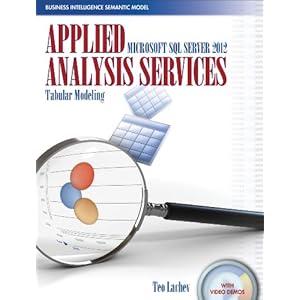
Finally, I will point out on this topic a book that was recommend to me, and one that I personally ordered yesterday: Applied Microsoft SQL Server 2012 Analysis Services: Tabular Modeling


The Author of this book, Teo Lachev, by far, has the most exposure and expertise on this topic right now that I can find. I expect this book to get high ratings for myself personally once I'm done with it.

Well that's all for this post, but continue to check back as we look into the future of BI with Dynamics AX, along with many, many other topics. Till Next Time!

Follow Me @:
RSS Feed  LinkedIn  Twitter

"Visit the Dynamics AX Community Page today!"

Labels: , , , , , , , , , , ,

Wednesday, February 22, 2012

AX 2012 - Report Layout and Style Templates


In a recent post, I talked about AX 2012 and Diving into BI Analytics as a starting point back into a series of post around The BI Story for AX 2012. The point of this series of post, is to drive understanding of the BI options in Dynamics AX, and therefore driving value around making the most use out of your investment.


To help continue this series, I will start to dive into more and more specifics around AX 2012 & BI, specifically around creating BI artifacts with the out-of-the-box tools.

To that end, recently I was working with a long time client, and one of the things that was brought up was the use of Report Templates, in reference to how these could be used in Microsoft Dynamics AX MorphX reports in the past.


Just to be clear on this point, you have the ability to have Layout Templates as well as Style Templates. As I've done in the past with such articles, I would like to start this deeper dive, with referencing what Microsoft has provided for us on MDSN. As I've also stated in the past, Microsoft has been doing a great job with the release of AX 2012 around documentation and this topic is covered with some nice resources.

The following is that resource list:

Now with these resources in hand, we have the ability to start making use of layout & style templates, understand the value, and create our very own if so desired.

To a point of use for these, for example, say in an Auto Design scenario you would like to have the Company Name, Page information, etc on the header of your auto design reports. This was very common need with MorphX reports. Well in order to do this, you could follow the how to on applying Layout & Style templates, and use that to apply the ReportLayoutStyleTemplate which has said information as part of the header.

Further, you can create your own custom layout and style templates that might contain specific design elements, or parts of Header information that help create a specific an uniformed rendering of reports that can go very far with the user base.

The point to be taking, is it's still possible to achieve this same need as it was in AX MorphX reports, with the new reporting model of AX SSRS.

With that, I will end this post and thought process for now. I hope that as we continue down this path, you will see more and more the flexibility and depth of Reporting and BI artifact creation that exists out-of-the-box for AX 2012. Till Next Time!

Follow Me @:
RSS Feed  LinkedIn  Twitter

"Visit the Dynamics AX Community Page today!"

Labels: , , , , , , , , , , , ,

Sunday, January 29, 2012

AX 2012 - Diving into BI Analytics


A major focus for my self, and my work is around driving value for customers, with their AX investments. It's so easy to get caught up in the implementation, and getting the transaction side of a project up and running, that too many times the full solution, and total value that AX as a whole can bring is not fully realized.

To often, the value of out-of-the-box offerings around Business Intelligence (BI), is apart of that overlooked area of AX. This is sometimes, a major part of why, during the sales cycle a company made the choice of going with AX over some other brand of ERP software. At least to a large degree, it is usually a major deciding factor. Why shouldn't it be, with all the wonderful BI concepts built into AX as a product, not just in the formed of typical reports either, but even with contextual BI elements and beyond.


With this in mind, I wanted continue my focus that I started last year, around the BI capabilities for AX 2012, and what it can bring, helping you complete your total solution, and driving further value from what you have already invested in. The next focus, in this BI journey for AX 2012, at least for me and this blog, is around AX 2012 Analytics.


We see the above image, comes from the following section on Microsoft TechNet, talking through the architecture that makes up Analytics side of AX 2012, out-of-the-box offering. Its important to understand the full picture, including how this architecture actually works. As you can see, like the other technologies, used in the Microsoft stack for AX, SQL Server Analysis Services is a key technology to enabling OLAP cubes in AX.

Taking this architecture forward, I think it's important to also see the great resources that Microsoft has given us in this release for AX 2012, around this topic, specifically for the developer in mind, and the development task that are needed to enable, customize and complete a customers BI story, from the Analytics point of view.

These resources I'm speaking to, start with Development Tasks for Analytics [AX 2012]. Going to that resource, you can see several walkthrough's from Creating Cubes within the AOT, to Creating and Displaying new KPI's.

Having this resource, as our starting point, I plan to take this focus on BI further, with using the Contoso database, and showing this offering that is a part of AX 2012, and how it can be used, by you or your customers, the right way - with the goal of driving value.

That's all for today, I hope that you have a great start to the week, and check back soon as a whole lot more to come! Till Next Time!

Follow Me @:
RSS Feed  LinkedIn  Twitter

"Visit the Dynamics AX Community Page today!"

Labels: , , , , , , , , , ,


Copyright 2005-2011, J. Brandon George - All rights Reserved