Dynamics AX
  RSS Feed  LinkedIn  Twitter
Want to turn you're data into a true asset? Ready to break free from the report factory?
Ready to gain true insights that are action focused for truly data informed decisions?
Want to do all of this across mutliple companies, instances of Dynamics and your other investments?
Hillstar Business Intelligence is the answer then! (www.HillstarBI.com)

Hillstar Business Intelligence for Microsoft Dynamics AX and NAV on Mobile, Desktop, Tablet


Let us prove to you how we can take the complexity out of the schema and truly enable users to answer the needed questions to run your business! Visit Hillstar Business Solutions at: www.HillstarBI.com

Thursday, December 20, 2012

Dynamics AX Users Changing Course in How They Manage EDI Requirements


With most any Microsoft Dynamics AX project, a focus around EDI needs for such projects is always a hot topic. In the past, there have been a slew of ways to solve the challenges that EDI represents for customers. Like most things, the entire drive is towards value and the act of reducing time to value for customers.

With this in mind, I thought it was time we visited back with Data Mason's own Glenn McPeak, to get their feedback on the trends they are seeing in the market place. Being the leader for EDI within the Dynamics Ecosystem, it would make sense that they have the most to share around this topic. With that, the following is the information Glenn sent me on the matter.


Glenn McPeak - Principal of Data Mason's


We’ve been seeing a rapidly growing trend in the Dynamics community when it comes to how companies want to manage EDI. Up until now, it seemed that companies were selecting one of numerous options to meet their EDI mandates, but now we’re seeing a shift in what they are looking for when it comes to EDI for Dynamics AX.

Here’s What’s Trending:

#1 – End to end automation
Pushing a button to integrate a transaction used to be great as it saved time over manual entry. But now users are asking, “Why do I have to push a button and who is going to do it at 2am?” They want automation of key EDI process that gives them the flexibility and security they’re looking for.

#2 – Manage EDI by exception
Dynamics users don’t want to deal with every transaction, only the issues that need attention. Managing by exception lets the transactions without discrepancies continue without interruption and eliminates unnecessary manual touch points.

#3 – Leverage standard Microsoft integration framework
Writing directly to tables and bypassing business logic is not best practice. By leveraging integration tools such as Microsoft’s e-Connect, Application Integration Framework(AIF) and XMLports/Web Services, users can avoid custom routines that populate data and bypass standard business logic.

#4 – Deeper and broader integrations
Users need more advanced logic, such as touching specific values in a sales order or handling advanced three-way matching logic. They also need broader document integrations so they can get new documents integrated quickly and easily to avoid jeopardizing trading partners relationships.

#5 – Avoid transaction fees
EDI data is a lot like email – would you pay to send an email? Right, then why pay for transactions when you don’t need to, especially when your trading partners support direct connect?

#6 – Audit the transactions
Too many companies complain about the lack of tools available that can identify issues before they become problems. They wonder why they can’t find out that an invoice was not transmitted and/or received by a partner before it is overdue. They would rather receive an email alerting them when a document has failed.

#7 – Guaranteed support turn-around times
In the world of EDI where delays and errors in transacting data can result in unnecessary and costly expense, organizations don’t have the flexibility of waiting for support responses.

Answering the Trends Responding to these trends is an innovative EDI technology model that Dynamics users are rapidly adopting. Users are looking to an EDI solution that is based on leveraging the native integration framework of the ERP platform while providing all of the EDI transaction functionality outside the application¸ not inside like other EDI technologies. With this approach, companies can:

• Implement a plug-and-play, truly integrated solution that doesn’t utilize 3rd party translator tools;
• Leverage a fully-automated EDI solution with predictable ownership costs; and
• Benefit from a non-embedded design and XML data storage within SQL that avoids ERP requirements and customizations, simplifying daily use and providing flexibility when managing ERP update/upgrade projects.


The Next Step with EDI Learn more about this growing trend in Dynamics EDI and what your EDI solution should deliver. Read how other companies have successfully implemented a new strategy to increase the impact EDI has on their business and how they have exceeded their expectations in simplifying EDI integration and compliance.

I would like to thank Glenn, and the Data Mason's team for being sponsor's of this blog and for always helping add great value added information, content & solutions around EDI to the Dynamics Ecosystem at Large.

That's all I have for this post, make sure and check back soon as we continue our dive into the Dynamics filled world, and further drive towards value! Till Next Time!

Follow Me @:
   RSS Feed  LinkedIn  Twitter

"Visit the Dynamics AX Community Page today!"

Labels: , , , , , , , , , , ,

Thursday, October 18, 2012

The value of a BI Product outside of Microsoft Dynamics AX 2012


With the a lot of focus this week around Business Intelligence, including being my entire session load, I keep getting asked the same question.: "Why are there so many BI products in the expo hall?" Another flavor of this is "Which BI Products are good candidates to look deeper into."


Before I give my public answer to this, let me first start with this. When you purchase and invest into Microsoft Dynamics AX 2012 you are also getting a BI Solution. It true then, when I state that BI is no longer a separate product or project. With the focus around the BI Semantic model, you can achieve Personal, Team & Organisational BI artifact creation without having any other tool.


You can create compelling executive dashboards, as well as other role tailored user experiences, enabled via SharePoint, Office & SQL Server technologies. This can be viewed without having to access the Rich Client of AX 2012 as well. So having a statement that a "CEO never uses AX" is not valid. Just because they don't make use of the rich client, to enter transactions, does not mean they do not use AX. In fact Role Centers should be front and center for the User Experience modeling for you AX investment.

With that said, there still is a valid reason for adding another BI enabling product to your total solution. First thing we have to focus on is the value such a product brings. If it brings relevant, pre-built, focused artifacts that fit into your business model and needs - then that is functional value. Further, just as important as the functional value, is the fact that whatever product this may be - it should never compete with the Microsoft Dynamics AX BI solution.

This means it should compliment the stack of SQL Server+SharePoint+Office. The artifacts it generates should be easily adding as web parts, so that the targeted Role Tailored user experiences are enabled - not replaced.

Microsoft is committed to the continued development and improvement of having this focus, Role Tailored User Experiences - as part of the out-of-the-box offering. So to answer in short: If the product compliments the stack that represent Dynamics AX, and add value for your company, then it's a possible good candidate for adding to your overall BI story your creating for your company.

That's all for this post. Make sure to join me at 4:00 PM Today, in room 604 for the round table discussion on "Understanding What is Available in Standard AX to Meet your BI and Reporting Needs." This will be an open discussion format, meant to engage the audience and have the audience guide and create the conversation.

Make sure to check back soon and often! Till Next Time!
Follow Me @:
RSS Feed  LinkedIn  Twitter

"Visit the Dynamics AX Community Page today!"

Labels: , , , , , , , , , , , ,

Monday, April 16, 2012

New Workflow Types with Feature Pack Release for AX 2012


Well I hope everyone has had a great weekend, your fully rested and ready to have a productive Dynamics week! Recently I wrote about how the feature pack for AX 2012 should be adopted now for all projects. In that post, I highlighted some of the reasons this is critical, including being a stepping stone to AX 2012 R2 set to be released in H1 2013. With that being stated, I wanted to dig deeper into some valid reasons, from a business impact and value add of such a move - beyond what has already been pointed out.


To this end, I wanted to point to the new workflow types that have been added as part of this feature pack release for Microsoft Dynamics AX 2012. There are five new workflow types that are part of this feature pack release, that cover three area's: Advanced Ledger Entry, Project III & Public Sector.

The following is a list of those new workflow types.:
  • AdvancedLedgerEntryTemplate - "Use this type to create approval workflows for advance ledger entries" [Configuration Key: AdvancedLedgerEntry ]
  • PSAProjInvoiceProposal - "Workflow for handling invoice proposals" [Configuration Key: Project3 ]
  • PSAProjQuotationTemplate - "Project quotation workflow template" [Configuration Key: Project3 ]
  • PurchAgreementType - "Use this type to create approval workflows for purchase agreements" [Configuration Key: PublicSector ]
  • PurchCommitmentTemplate_PSN - "Use this template to create approval workflows for commitment documents" [Configuration Key: PublicSector ]


As you can see Microsoft is for sure committed to the idea that Workflows should be used to modeling business processes. Further you can see past coverage of this topic, that I wrote about, in the past for creating custom workflows here.: Modeling Business Processes with AX 2012 and Workflow - Part III - Enabling Custom Workflows


It is critical that when thinking in terms of implementing AX 2012, and designing the customers usage - to get the most derived value from such an investments, workflow usage and design has to be a top priority. This great feature of AX 2012 will only continue to evolve and truly enable domain specific modeling & language for companies and the verticals they live and work in.

Well that's all for now, check back soon however as there is a lot more coming, including my postmortem on my AXUG BI webinar I'm putting on next Friday. Beyond that, there is a lot of great coverage in general from the entire Ecosystem, which is wonderful to see. Till Next Time!
Follow Me @:
RSS Feed  LinkedIn  Twitter

"Visit the Dynamics AX Community Page today!"

Labels: , , , , , , , , , ,

Tuesday, March 27, 2012

Torrential Data Solutions brings embedded document imaging and workflow natively within Microsoft Dynamics AX with the expert help of IDB Solutions


It is with great pleasure that I get to talk with you today about a recent success story for the company I'm apart of IDB Solutions, LLC. Our client? Torrential Data Solutions, Inc a Microsoft Silver ISV Partner providing value-added ECM technologies to the Dynamics Ecosystem.


A direct link to the press release, can be found here.: Torrential Data Solutions, Inc brings embedded document imaging and workflow natively within the Microsoft Dynamics AX user experience with the expert help of IDB Solutions.

From the press release: "IDB Solutions, LLC. is pleased to announce that Torrential Data Solutions, Inc., a Microsoft Silver ISV Partner providing value-added ECM technologies to the Dynamics Ecosystem, has selected IDB as their trusted Microsoft Dynamics AX partner. IDB Solutions was tasked with helping Torrential Data bring their “Datahaven for Dynamics” solution offering to the Microsoft Dynamics AX market space, to enable “embedded document imaging and workflow” natively within the Microsoft Dynamics AX user experience."

Further... "“We chose IDB Solutions because of their proven expertise in the Microsoft Dynamics AX market space. Throughout the engagement, IDB staff demonstrated a deep understanding and knowledge of Microsoft Dynamics AX design and development best practices and a relentless focus on adding real value for the Microsoft Dynamics AX customer. Most importantly, IDB was committed to our success in bringing ‘Datahaven for Dynamics AX’ to market," said Brad Bimson, President of Torrential Data."

Working with Brad and his team has been a great pleasure, and at IDB Solutions we are always looking for ways to add real value for Microsoft Dynamics AX customers. As the press release states, what TDS brings with it's "Datahaven for Dynamics" solution truly helps companies content-enabled processes.

Value is always the goal for myself personally, and for IDB Solutions. Value is more than just a word to us, it is our product & our brand. In short value is truly our focus, and having the pleasure of helping TDS bring their product to the Microsoft Dynamics AX market space shows our commitment to adding value, and to helping customers like TDS succeed with their AX projects.

You can find out more, by visiting our site: IDB Solutions, LLC Website

Stay tuned as I have a whole lot more of Dynamics topics, post, book review and more. Till Next Time!
Follow Me @:
RSS Feed  LinkedIn  Twitter

"Visit the Dynamics AX Community Page today!"

Labels: , , , , , , , , , , ,

Friday, March 09, 2012

VSLive - Las Vegas Baby!


Well I hope everyone has had a very productive week, and is ready for a nice weekend. Keep in mind we Spring Forward this weekend. Personally I love it, because it means more hours of Sun, and might be able to actually enjoy the outdoors a bit.

To help wrap up this week, I wanted to post about a series of events that is going on, specifically related to Microsoft Visual Studio and .Net technologies. As you can see from the above graphic, I'm speaking about the Visual Studio Live! Conferences that are held. This year, there are four such events, with some really great tracks. The first event, is being held in Las Vegas Baby!


You can click on the above graphic, and sign up, the event is coming up soon but really has some awesome tracks, and exposure to things like.: Cloud Computing, Windows Phone App Development and Windows8/WinRT tracks.


Such events, are more than ever, very helpful in getting the most value out of your Microsoft Dynamics AX investment. More and more solutions, or total solutions for customers, embrace and make use, including extending value, with the technologies, tools and software that are covered at VSLive events. As Microsoft continues to invest with Microsoft Dynamics AX, via the rest of the product stack, the value of such conferences will only increase as time goes on.

If your interested in the full details, and all the tracks, I would suggest taking a look a the eBrochure.


There are already some great post in the Microsoft Dynamics Community that showcase the use of such technologies, like extending AX via a Windows Phone Solution. As well as, showcasing the value of Visual Studio LightSwitch for Dynamics AX.


Finally, we are all aware now, per Microsoft, that the future client for Dynamics AX will have a heavy focus around Windows 8/WinRT and HTML5 focuses, as highlighted here.: Microsoft Dynamics AX - The future Client Win8 / HTML5.

With all of this in mind, going back to my statement earlier, such conference with a wealth of tracks, speakers and knowledge, can add great understanding of the products, how they are used in solutions throughout the world, and how those concepts can then be applied to a total solution for a customers Microsoft Dynamics AX investment.

With that said, for all my readers, I have a promo code that has been giving to me, to share with you all, which is: VSLVTU. That promo code is for savings of $400 off the standard Best Value Package Rate!

That's all the time I have today, but I recommend you check out this event, and if the upcoming Las Vegas event just is not in the "cards" for you, don't worry, there are three other events going on this year, which I will blog about. Make sure to check back soon, and check back often as a whole lot more Dynamics Community coverage is well under way. Till Next Time!


Follow Me @:
RSS Feed  LinkedIn  Twitter

"Visit the Dynamics AX Community Page today!"

Labels: , , , , , , , , , , , , ,

Friday, March 02, 2012

Understanding Business Intelligence Semantic Model (BISM) & Future with AX 2012


Visit Hillstar Business Intelligence (www.HillstarBI.com) in order to truly unlock your data trapped in your Microsoft Dynamics investment. With our value driven business intelligence strategy Hillstar help you transform into a data informed company.


I hope everyone is doing well on this fine Friday! Hopefully you have had a very productive week, focused on your Dynamics AX projects. I wanted to continue today, the forward looking exercise of diving into the future of Business Intelligence and it's use with AX. We started the look, with an early post, focused around SQL Server 2012 & the Future of BI with Dynamics AX.


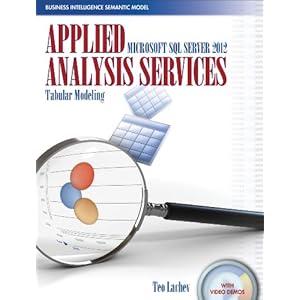
That was an introduction really, and resource post on getting access to SQL Server 2012 RC0, as well as focused on the new reality of Personal BI also known as Self-Service BI. From there, the next post was an high level introduction SQL Server 2012 - SSAS Tabular Modeling.


This included an introduction to a recently released book, pictured above, that helps dive into the topics of BI, empowered by SQL Server 2012. Now have these introduction post, it's time to take a step back a bit, and look at the larger picture, and vision of BI. Enter Business Intelligence Semantic Model (BISM).


Image Courtesy of Microsoft


From the above image, we can see that BI is taking shape in three real domains of context, and therefore development. First we have the Personal BI, followed by Team BI & finally Operational BI. A key understanding from this point, at least from the vision point of view, is Microsoft's focus on 'One Model for all End User Experiences'.

This was a driving theme behind Microsoft's adoption of technologies like VertiPaq that are enabling the Tabular Modeling concepts. As well, this still very much includes, vs. excludes, traditional BI concepts like OLAP Cubes.

If we look at this starting from the personal BI, we see technologies, that are very much apart of Microsoft Dynamics AX 2012 total solution. Starting with Personal BI and it's heavy use of Microsoft PowerPivot, through SharePoint and finally Analysis Services.


Image Courtesy of Microsoft


Moving forward, into the architecture of what will make up the BI Semantic Model, we see again, familiar and current use technologies that enable this reality. technologies, like SQL Server, Cloud based Data Services as we as OData Feeds.


We can see, already, that technologies like Microsoft PowerPivot can be used with enabling technologies like the Open Data Protocol or OData Feeds, can be used, correctly with AX 2012, to consume Query objects, for example, which enable this Personal BI, today. Having the above understanding of the BI Semantic Model, mixed with this understanding and we can see again how SQL Server 2012 will be used, and enable it's reality natively with Microsoft Dynamics AX 2012 RC2, scheduled for release in 2013.

To help better understand this vision & Microsoft roadmap, a great article was authored last May, that goes deeper into these topics.: Analysis Services – Vision & Roadmap Update

From the article:
"The BI Semantic Model is one model for all end user experiences – reporting, analytics, scorecards, dashboards, and custom applications. All client tools in the Microsoft BI stack – Excel, PowerPivot, SharePoint Insights and Reporting Services (including Crescent) – operate on this model. BI professionals can create the model in Visual Studio and deploy it to an Analysis Services server. Interestingly, the model can also be created by business users with PowerPivot for Excel and shared via PowerPivot for SharePoint. PowerPivot and Analysis Services are two different products; one targets business users and the other targets BI professionals and IT. However both use the BI Semantic Model under the covers."


Image Courtesy of SQLServerPerformance


Taking this understanding around the vision further, and going back to a focus around technical understanding, there is another great article, created by the SQLServerPerformance Site.: Getting Started with Business Intelligence Semantic Model (BISM) in SQL Server 2012

From the post:
"The Business Intelligence Semantic Model is one of the most significant enhancements in SQL Server 2012. BISM allows aspects of the traditional multidimensional model to coexist with the relational model in a format called the tabular model and can be used with all client tools in the Microsoft BI stack."

As you can see, the landscape of BI, offered from Microsoft, natively within the stack and products is getting a massive overhaul, and going to truly enable the 'BI for the Masses' tag line that has been a goal for many years now for Microsoft. These new offerings, are going to be natively used and very much a part of Microsoft Dynamics AX 2012 RC2. This will have a lasting impact, positive one in my thoughts, for how we even define Business Intelligence within the Dynamics Community.

That's all for this Friday, I hope that these post so far has your wheels turning, and your thinking hard about how this can benefit you and your companies Dynamics AX investment. Value is the focus, reducing time-to-value is the art, and for BI what we are seeing with SQL Server 2012's release brings the tools. Till Next Time!


Visit Hillstar Business Intelligence (www.HillstarBI.com) in order to truly unlock your data trapped in your Microsoft Dynamics investment. With our value driven business intelligence strategy Hillstar help you transform into a data informed company.


Follow Me @:
RSS Feed  LinkedIn  Twitter

"Visit the Dynamics AX Community Page today!"

Labels: , , , , , , , , , , , , ,

Sunday, January 29, 2012

AX 2012 - Diving into BI Analytics


A major focus for my self, and my work is around driving value for customers, with their AX investments. It's so easy to get caught up in the implementation, and getting the transaction side of a project up and running, that too many times the full solution, and total value that AX as a whole can bring is not fully realized.

To often, the value of out-of-the-box offerings around Business Intelligence (BI), is apart of that overlooked area of AX. This is sometimes, a major part of why, during the sales cycle a company made the choice of going with AX over some other brand of ERP software. At least to a large degree, it is usually a major deciding factor. Why shouldn't it be, with all the wonderful BI concepts built into AX as a product, not just in the formed of typical reports either, but even with contextual BI elements and beyond.


With this in mind, I wanted continue my focus that I started last year, around the BI capabilities for AX 2012, and what it can bring, helping you complete your total solution, and driving further value from what you have already invested in. The next focus, in this BI journey for AX 2012, at least for me and this blog, is around AX 2012 Analytics.


We see the above image, comes from the following section on Microsoft TechNet, talking through the architecture that makes up Analytics side of AX 2012, out-of-the-box offering. Its important to understand the full picture, including how this architecture actually works. As you can see, like the other technologies, used in the Microsoft stack for AX, SQL Server Analysis Services is a key technology to enabling OLAP cubes in AX.

Taking this architecture forward, I think it's important to also see the great resources that Microsoft has given us in this release for AX 2012, around this topic, specifically for the developer in mind, and the development task that are needed to enable, customize and complete a customers BI story, from the Analytics point of view.

These resources I'm speaking to, start with Development Tasks for Analytics [AX 2012]. Going to that resource, you can see several walkthrough's from Creating Cubes within the AOT, to Creating and Displaying new KPI's.

Having this resource, as our starting point, I plan to take this focus on BI further, with using the Contoso database, and showing this offering that is a part of AX 2012, and how it can be used, by you or your customers, the right way - with the goal of driving value.

That's all for today, I hope that you have a great start to the week, and check back soon as a whole lot more to come! Till Next Time!

Follow Me @:
RSS Feed  LinkedIn  Twitter

"Visit the Dynamics AX Community Page today!"

Labels: , , , , , , , , , ,


Copyright 2005-2011, J. Brandon George - All rights Reserved