Dynamics AX
  RSS Feed  LinkedIn  Twitter
Want to turn you're data into a true asset? Ready to break free from the report factory?
Ready to gain true insights that are action focused for truly data informed decisions?
Want to do all of this across mutliple companies, instances of Dynamics and your other investments?
Hillstar Business Intelligence is the answer then! (www.HillstarBI.com)

Hillstar Business Intelligence for Microsoft Dynamics AX and NAV on Mobile, Desktop, Tablet


Let us prove to you how we can take the complexity out of the schema and truly enable users to answer the needed questions to run your business! Visit Hillstar Business Solutions at: www.HillstarBI.com

Wednesday, February 13, 2013

AX 2012 - From PowerPivot to Tabular Model


Today I wanted to continue the focus around some of the great options that now come as part of the stack offering for Microsoft Dynamics AX customers. This builds on the BI Semantic Model, going from the perspective of personal BI through to needed scale offered via organizational BI concepts.


What I'm speaking about specifically to you today, is the ability to target a PowerPivot BI Artifact and use it as the basis for creating a scalable, tabular model for SQL Server 2012. This knowledge, builds on that which I've covered in depth for Personal BI. This recently includes my last post Dynamics AX 2012 R2 - OData Improvements. Further, this is a prime example that I explained at a high level, with the post about Understanding the natural flow of the BI Semantic Model.


What we see above is the final outcome of a focus around PowerPivot, OData and a Dynamics AX Query Element. This query element brings together Sales data, for a specific set of customer groups. You can see in the following screen shot, the targeted query element from the AOT.


What would prompt you to take this PowerPivot artifact and move it along from the Personal, Team and into the Organizational BI area is the need to scale. That is the focus when we talk about organizational BI artifacts. These are BI needs that need to scale beyond the capability of what Personal & Team BI aspects can offer us. Having created this personal BI artifact in PowerPivot, we do not have to start from scratch. In fact, we can actually use the work completed in the design space of the PowerPivot workbook, to become the basis of an Analysis Service Tabular Model. This starts with SQL Server Data Tools, the replacement of BIDS for SQL Server 2012.


Having launched SSDT, we can navigate to creating a new project type of Analysis Services > Import from PowerPivot. This is what we see in the below screen shot.


In doing this action, we are then taking to a screen in which we must set a target work space database instance. For the sake of time, I'm doing all of this on an AX 2012 R2 demo image that you can download from Microsoft PartnerSource. This is why, as seen in the screen shot below, I'm targeting a localhost\Tabular instance of SSAS.


Having set our target work space server, we can then move forward with selecting a PowerPivot workbook. At this point there are some very specific security design considerations you need to keep in mind. Specifically when the target is a remote server vs. a local server. To find out more about this topic, please review the following resource.: Impersonation (SSAS Tabular). The goal of this article is to show off the concepts, in which such details will be discussed at length, in a later post.


What we see in the above screen shot, is the selection of our PowerPivot personal BI artifact that we created in earlier post. Having this selected, our tabular workspace server is able to read in the meta-data as well as data contained within the workbook. We can see this reflected in the following image.


Now that we have our tabular model created from the effort put forth in the creation of the personal BI artifact, we can begin modifying and creating needed elements to complete our scaled out BI needs. What important to keep in mind, is that any computing measures that where created in the PowerPivot artifact, are now in our tabular model. Further, the connection via an OData feed to our Query Element is in tact. You can see this from the screen shot below.


Having this understood, and not worrying about security design concerns at this point, we can proceed with deploying our tabular model to our workspace server for Analysis Services. That is what we see, in the outcome below.


With the above example, we can see how quickly the BI Semantic Model can easily take the efforts of a Personal BI design and turn that into a truly scalable state as a tabular model. This does require SQL Server 2012 as well as Dynamics AX 2012. With this however, we can now process our OData feed from within the Tabular model, and work off it for scalable artifacts that can help complete a companies BI story. Further this takes advantage of Dynamics AX, specifically with the use of Query Elements & Document Data Sources.

That's all for this post, but check back soon as I continue to dive further into taking full advantage of Dynamics AX, in helping put your companies data to work for you! I will continue to build on the concepts that I have been writing about, plus more including coverage of the upcoming Convergence 2013! Till Next Time!
Follow Me @:
   RSS Feed  LinkedIn  Twitter

"Visit the Dynamics AX Community Page today!"

Labels: , , , , , , , , , , , , ,

Friday, March 02, 2012

Understanding Business Intelligence Semantic Model (BISM) & Future with AX 2012


Visit Hillstar Business Intelligence (www.HillstarBI.com) in order to truly unlock your data trapped in your Microsoft Dynamics investment. With our value driven business intelligence strategy Hillstar help you transform into a data informed company.


I hope everyone is doing well on this fine Friday! Hopefully you have had a very productive week, focused on your Dynamics AX projects. I wanted to continue today, the forward looking exercise of diving into the future of Business Intelligence and it's use with AX. We started the look, with an early post, focused around SQL Server 2012 & the Future of BI with Dynamics AX.


That was an introduction really, and resource post on getting access to SQL Server 2012 RC0, as well as focused on the new reality of Personal BI also known as Self-Service BI. From there, the next post was an high level introduction SQL Server 2012 - SSAS Tabular Modeling.


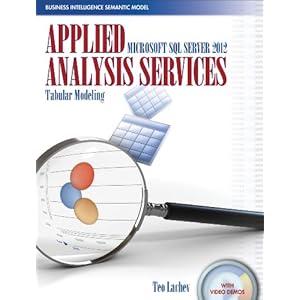
This included an introduction to a recently released book, pictured above, that helps dive into the topics of BI, empowered by SQL Server 2012. Now have these introduction post, it's time to take a step back a bit, and look at the larger picture, and vision of BI. Enter Business Intelligence Semantic Model (BISM).


Image Courtesy of Microsoft


From the above image, we can see that BI is taking shape in three real domains of context, and therefore development. First we have the Personal BI, followed by Team BI & finally Operational BI. A key understanding from this point, at least from the vision point of view, is Microsoft's focus on 'One Model for all End User Experiences'.

This was a driving theme behind Microsoft's adoption of technologies like VertiPaq that are enabling the Tabular Modeling concepts. As well, this still very much includes, vs. excludes, traditional BI concepts like OLAP Cubes.

If we look at this starting from the personal BI, we see technologies, that are very much apart of Microsoft Dynamics AX 2012 total solution. Starting with Personal BI and it's heavy use of Microsoft PowerPivot, through SharePoint and finally Analysis Services.


Image Courtesy of Microsoft


Moving forward, into the architecture of what will make up the BI Semantic Model, we see again, familiar and current use technologies that enable this reality. technologies, like SQL Server, Cloud based Data Services as we as OData Feeds.


We can see, already, that technologies like Microsoft PowerPivot can be used with enabling technologies like the Open Data Protocol or OData Feeds, can be used, correctly with AX 2012, to consume Query objects, for example, which enable this Personal BI, today. Having the above understanding of the BI Semantic Model, mixed with this understanding and we can see again how SQL Server 2012 will be used, and enable it's reality natively with Microsoft Dynamics AX 2012 RC2, scheduled for release in 2013.

To help better understand this vision & Microsoft roadmap, a great article was authored last May, that goes deeper into these topics.: Analysis Services – Vision & Roadmap Update

From the article:
"The BI Semantic Model is one model for all end user experiences – reporting, analytics, scorecards, dashboards, and custom applications. All client tools in the Microsoft BI stack – Excel, PowerPivot, SharePoint Insights and Reporting Services (including Crescent) – operate on this model. BI professionals can create the model in Visual Studio and deploy it to an Analysis Services server. Interestingly, the model can also be created by business users with PowerPivot for Excel and shared via PowerPivot for SharePoint. PowerPivot and Analysis Services are two different products; one targets business users and the other targets BI professionals and IT. However both use the BI Semantic Model under the covers."


Image Courtesy of SQLServerPerformance


Taking this understanding around the vision further, and going back to a focus around technical understanding, there is another great article, created by the SQLServerPerformance Site.: Getting Started with Business Intelligence Semantic Model (BISM) in SQL Server 2012

From the post:
"The Business Intelligence Semantic Model is one of the most significant enhancements in SQL Server 2012. BISM allows aspects of the traditional multidimensional model to coexist with the relational model in a format called the tabular model and can be used with all client tools in the Microsoft BI stack."

As you can see, the landscape of BI, offered from Microsoft, natively within the stack and products is getting a massive overhaul, and going to truly enable the 'BI for the Masses' tag line that has been a goal for many years now for Microsoft. These new offerings, are going to be natively used and very much a part of Microsoft Dynamics AX 2012 RC2. This will have a lasting impact, positive one in my thoughts, for how we even define Business Intelligence within the Dynamics Community.

That's all for this Friday, I hope that these post so far has your wheels turning, and your thinking hard about how this can benefit you and your companies Dynamics AX investment. Value is the focus, reducing time-to-value is the art, and for BI what we are seeing with SQL Server 2012's release brings the tools. Till Next Time!


Visit Hillstar Business Intelligence (www.HillstarBI.com) in order to truly unlock your data trapped in your Microsoft Dynamics investment. With our value driven business intelligence strategy Hillstar help you transform into a data informed company.


Follow Me @:
RSS Feed  LinkedIn  Twitter

"Visit the Dynamics AX Community Page today!"

Labels: , , , , , , , , , , , , ,

Wednesday, February 29, 2012

SQL Server 2012 - SSAS Tabular Modeling


In my last post about SQL Server 2012 & the Future of BI with Dynamics AX, I mentioned that we would start with the introduction of concepts and continue to dive deeper. With that in mind, lets dive a little further into Tabular Modeling with SQL Server 2012 - SQL Server Analysis Services.


I have referenced several times, the above image, and what it shows is the current AX 2012 Analysis Services Architecture and how OLAP Cubes are consumed and made use of within an AX instance.

It's very important to understand how the out-of-the-box AX 2012 OLAP Cubes are created, and consumed, to help understand how the new offerings coming with SQL Server 2012 might be enabled by Microsoft. Keep in mind the current target for the use of SQL Server 2012 with Dynamics AX is 2013 with the release of Microsoft Dynamics AX 2012 RC2.

The purpose of the following post, was to point out how BI Analytics for AX 2012 currently works and can be used: AX 2012 - Diving into BI Analytics


With this understanding, we can move forward with looking at what's going to be new for SQL Server 2012, specifically relating to Analysis Services - Tabular Modeling. To help us understand these concepts a little better, we have a few resources already out there. First off, lets get connected to the Microsoft Published resources for this topic.

The current resource we have from Microsoft, which we can use with the download of SQL Server 2012 RC0, is the following: Tabular Modeling (Adventure Works Tutorial).

From the Tutorial:
"To better support the data analysis needs of sales and marketing teams and of senior management, you are tasked with creating a tabular model for users to analyze internet sales data in the AdventureWorksDWDenali sample database."

Taking this, there are a good bit of key concepts that you can start to understand for the use of Tabular Modeling, with a realistic scenario. The big picture parts that should have special attention applied during this exercise is around the parts that make up a Tabular Modeling Project.

Applying this understanding of SQL Server 2012 Tabular Modeling Projects, along with how OLAP Cubes are created and consumed in AX 2012 today, we can piece together how Microsoft might take advantage of this technology with Microsoft Dynamics AX 2012 RC2. Further we also can get a glimpse into PowerPivotV2 which plays a critical part in the consumption of Tabular Models from SQL Server 2012.

Finally, I will point out on this topic a book that was recommend to me, and one that I personally ordered yesterday: Applied Microsoft SQL Server 2012 Analysis Services: Tabular Modeling


The Author of this book, Teo Lachev, by far, has the most exposure and expertise on this topic right now that I can find. I expect this book to get high ratings for myself personally once I'm done with it.

Well that's all for this post, but continue to check back as we look into the future of BI with Dynamics AX, along with many, many other topics. Till Next Time!

Follow Me @:
RSS Feed  LinkedIn  Twitter

"Visit the Dynamics AX Community Page today!"

Labels: , , , , , , , , , , ,


Copyright 2005-2011, J. Brandon George - All rights Reserved