Dynamics AX
  RSS Feed  LinkedIn  Twitter
Want to turn you're data into a true asset? Ready to break free from the report factory?
Ready to gain true insights that are action focused for truly data informed decisions?
Want to do all of this across mutliple companies, instances of Dynamics and your other investments?
Hillstar Business Intelligence is the answer then! (www.HillstarBI.com)

Hillstar Business Intelligence for Microsoft Dynamics AX and NAV on Mobile, Desktop, Tablet


Let us prove to you how we can take the complexity out of the schema and truly enable users to answer the needed questions to run your business! Visit Hillstar Business Solutions at: www.HillstarBI.com

Wednesday, April 25, 2012

AX 2012 - BI Artifacts & Source Control


I hope everyone is doing well today, and your working on exciting Dynamics AX projects. There is for sure a lot going on within the Ecosystem as a whole. New partner highlights across the board, and interest in Microsoft Dynamics AX has never been Higher!. With that, as you have seen in my past post, I like to talk about value and how value is best derived from investing in AX 2012. With that, one of the hot topics that I see day in, and day out as a well under-served part of the Dynamics Ecosystem is around true Business Intelligence .

Now being that I'm a true solutions architect, one of the focuses around BI, is the management, and processes that help us create such needed artifacts likes cubes, KPI's, AX-SSRS reports, etc. That's what prompted me to write up, for example the post on processing cubes error for standard edt. SQL Server 2012 Analysis Services. Further, you've seen me post about future topics as well, with the BI Semantic Model (BISM) post.


With this post, I wanted to continue my dive into value added topics, around AX 2012 & BI. That brings us to today's topic, around Source Control for BI Artifacts.


When thinking in terms of BI Artifacts that are created, that need version control, we are speaking about: Classes for DataContracts & RDP Framework, Query Elements, VS Report Model Projects, Perspectives, Views & Analysis Services Projects. Thinking in terms of Version Control or better Application Lifecycle Management (ALM), there are some great resources on the web. One for sure you need to book mark, is Joris information on the topic, located here.: DAX Musings: ALF | TFS Resource page.

With that resource in hand, and going back to what we need source control for, lets look at the obvious. Please do note, at this time, the article assumes that you have TFS being used with your AX 2012 instance. To continue, with the obvious, things like Classes, Query Elements, Views and Perspectives, most people are use to understanding how this works. These are added to source control by someone, and then can be checked in and out. This means, that understanding the base BI artifacts, when TFS is used, then it's controlled as such.


What about the other artifacts? For example Perspectives build cubes, and Perspectives are made of views and tables. These then are the basis for the Analysis Services Project which is what builds the cubes for AX 2012. This project can be updated, or configured through the Analysis Services Wizard of Ax 2012. Understanding that, what about this project? Well This project, just like the VS Report Model Projects, or even C# Projects. All of these are controlled with the same rules for Models, Layers and Version Control from the AOT as any other object or element in the AOT.

This is important to keep in mind, when thinking about using Source Control outside of AX 2012, or along side of it. The choice of where the source control is being implemented really, is the focus and point. Meaning, that for anything managed by AX 2012 It's best to allow the AOT / AX to enable source control on any objects it has. Everything else, that truly lives outside of AX, should be managed through Visual Studio.

Well that's all I have time for today, check back soon as more to come including a book review, some spotlight post, more into the real Semantics of BI and what it means for AX 2012, as well as a lot-lot more! Till Next!
Follow Me @:
RSS Feed  LinkedIn  Twitter

"Visit the Dynamics AX Community Page today!"

Labels: , , , , , , , , , , , , ,

Friday, March 02, 2012

Understanding Business Intelligence Semantic Model (BISM) & Future with AX 2012


Visit Hillstar Business Intelligence (www.HillstarBI.com) in order to truly unlock your data trapped in your Microsoft Dynamics investment. With our value driven business intelligence strategy Hillstar help you transform into a data informed company.


I hope everyone is doing well on this fine Friday! Hopefully you have had a very productive week, focused on your Dynamics AX projects. I wanted to continue today, the forward looking exercise of diving into the future of Business Intelligence and it's use with AX. We started the look, with an early post, focused around SQL Server 2012 & the Future of BI with Dynamics AX.


That was an introduction really, and resource post on getting access to SQL Server 2012 RC0, as well as focused on the new reality of Personal BI also known as Self-Service BI. From there, the next post was an high level introduction SQL Server 2012 - SSAS Tabular Modeling.


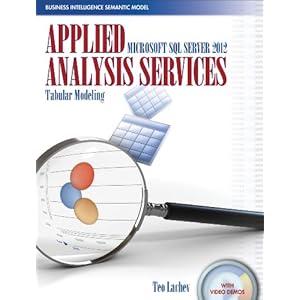
This included an introduction to a recently released book, pictured above, that helps dive into the topics of BI, empowered by SQL Server 2012. Now have these introduction post, it's time to take a step back a bit, and look at the larger picture, and vision of BI. Enter Business Intelligence Semantic Model (BISM).


Image Courtesy of Microsoft


From the above image, we can see that BI is taking shape in three real domains of context, and therefore development. First we have the Personal BI, followed by Team BI & finally Operational BI. A key understanding from this point, at least from the vision point of view, is Microsoft's focus on 'One Model for all End User Experiences'.

This was a driving theme behind Microsoft's adoption of technologies like VertiPaq that are enabling the Tabular Modeling concepts. As well, this still very much includes, vs. excludes, traditional BI concepts like OLAP Cubes.

If we look at this starting from the personal BI, we see technologies, that are very much apart of Microsoft Dynamics AX 2012 total solution. Starting with Personal BI and it's heavy use of Microsoft PowerPivot, through SharePoint and finally Analysis Services.


Image Courtesy of Microsoft


Moving forward, into the architecture of what will make up the BI Semantic Model, we see again, familiar and current use technologies that enable this reality. technologies, like SQL Server, Cloud based Data Services as we as OData Feeds.


We can see, already, that technologies like Microsoft PowerPivot can be used with enabling technologies like the Open Data Protocol or OData Feeds, can be used, correctly with AX 2012, to consume Query objects, for example, which enable this Personal BI, today. Having the above understanding of the BI Semantic Model, mixed with this understanding and we can see again how SQL Server 2012 will be used, and enable it's reality natively with Microsoft Dynamics AX 2012 RC2, scheduled for release in 2013.

To help better understand this vision & Microsoft roadmap, a great article was authored last May, that goes deeper into these topics.: Analysis Services – Vision & Roadmap Update

From the article:
"The BI Semantic Model is one model for all end user experiences – reporting, analytics, scorecards, dashboards, and custom applications. All client tools in the Microsoft BI stack – Excel, PowerPivot, SharePoint Insights and Reporting Services (including Crescent) – operate on this model. BI professionals can create the model in Visual Studio and deploy it to an Analysis Services server. Interestingly, the model can also be created by business users with PowerPivot for Excel and shared via PowerPivot for SharePoint. PowerPivot and Analysis Services are two different products; one targets business users and the other targets BI professionals and IT. However both use the BI Semantic Model under the covers."


Image Courtesy of SQLServerPerformance


Taking this understanding around the vision further, and going back to a focus around technical understanding, there is another great article, created by the SQLServerPerformance Site.: Getting Started with Business Intelligence Semantic Model (BISM) in SQL Server 2012

From the post:
"The Business Intelligence Semantic Model is one of the most significant enhancements in SQL Server 2012. BISM allows aspects of the traditional multidimensional model to coexist with the relational model in a format called the tabular model and can be used with all client tools in the Microsoft BI stack."

As you can see, the landscape of BI, offered from Microsoft, natively within the stack and products is getting a massive overhaul, and going to truly enable the 'BI for the Masses' tag line that has been a goal for many years now for Microsoft. These new offerings, are going to be natively used and very much a part of Microsoft Dynamics AX 2012 RC2. This will have a lasting impact, positive one in my thoughts, for how we even define Business Intelligence within the Dynamics Community.

That's all for this Friday, I hope that these post so far has your wheels turning, and your thinking hard about how this can benefit you and your companies Dynamics AX investment. Value is the focus, reducing time-to-value is the art, and for BI what we are seeing with SQL Server 2012's release brings the tools. Till Next Time!


Visit Hillstar Business Intelligence (www.HillstarBI.com) in order to truly unlock your data trapped in your Microsoft Dynamics investment. With our value driven business intelligence strategy Hillstar help you transform into a data informed company.


Follow Me @:
RSS Feed  LinkedIn  Twitter

"Visit the Dynamics AX Community Page today!"

Labels: , , , , , , , , , , , , ,


Copyright 2005-2011, J. Brandon George - All rights Reserved