
Dynamics AX
  RSS Feed  LinkedIn  Twitter
Want to turn you're data into a true asset? Ready to break free from the report factory?
Ready to gain true insights that are action focused for truly data informed decisions?
Want to do all of this across mutliple companies, instances of Dynamics and your other investments?
Hillstar Business Intelligence is the answer then! (www.HillstarBI.com)

Hillstar Business Intelligence for Microsoft Dynamics AX and NAV on Mobile, Desktop, Tablet


Let us prove to you how we can take the complexity out of the schema and truly enable users to answer the needed questions to run your business! Visit Hillstar Business Solutions at: www.HillstarBI.com

Friday, March 02, 2012

Understanding Business Intelligence Semantic Model (BISM) & Future with AX 2012


Visit Hillstar Business Intelligence (www.HillstarBI.com) in order to truly unlock your data trapped in your Microsoft Dynamics investment. With our value driven business intelligence strategy Hillstar help you transform into a data informed company.


I hope everyone is doing well on this fine Friday! Hopefully you have had a very productive week, focused on your Dynamics AX projects. I wanted to continue today, the forward looking exercise of diving into the future of Business Intelligence and it's use with AX. We started the look, with an early post, focused around SQL Server 2012 & the Future of BI with Dynamics AX.


That was an introduction really, and resource post on getting access to SQL Server 2012 RC0, as well as focused on the new reality of Personal BI also known as Self-Service BI. From there, the next post was an high level introduction SQL Server 2012 - SSAS Tabular Modeling.
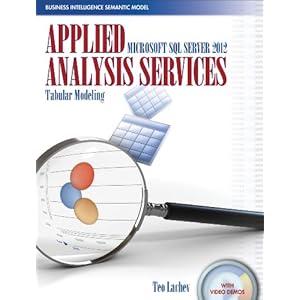


This included an introduction to a recently released book, pictured above, that helps dive into the topics of BI, empowered by SQL Server 2012. Now have these introduction post, it's time to take a step back a bit, and look at the larger picture, and vision of BI. Enter Business Intelligence Semantic Model (BISM).


Image Courtesy of Microsoft


From the above image, we can see that BI is taking shape in three real domains of context, and therefore development. First we have the Personal BI, followed by Team BI & finally Operational BI. A key understanding from this point, at least from the vision point of view, is Microsoft's focus on 'One Model for all End User Experiences'.

This was a driving theme behind Microsoft's adoption of technologies like VertiPaq that are enabling the Tabular Modeling concepts. As well, this still very much includes, vs. excludes, traditional BI concepts like OLAP Cubes.

If we look at this starting from the personal BI, we see technologies, that are very much apart of Microsoft Dynamics AX 2012 total solution. Starting with Personal BI and it's heavy use of Microsoft PowerPivot, through SharePoint and finally Analysis Services.


Image Courtesy of Microsoft


Moving forward, into the architecture of what will make up the BI Semantic Model, we see again, familiar and current use technologies that enable this reality. technologies, like SQL Server, Cloud based Data Services as we as OData Feeds.


We can see, already, that technologies like Microsoft PowerPivot can be used with enabling technologies like the Open Data Protocol or OData Feeds, can be used, correctly with AX 2012, to consume Query objects, for example, which enable this Personal BI, today. Having the above understanding of the BI Semantic Model, mixed with this understanding and we can see again how SQL Server 2012 will be used, and enable it's reality natively with Microsoft Dynamics AX 2012 RC2, scheduled for release in 2013.

To help better understand this vision & Microsoft roadmap, a great article was authored last May, that goes deeper into these topics.: Analysis Services – Vision & Roadmap Update

From the article:
"The BI Semantic Model is one model for all end user experiences – reporting, analytics, scorecards, dashboards, and custom applications. All client tools in the Microsoft BI stack – Excel, PowerPivot, SharePoint Insights and Reporting Services (including Crescent) – operate on this model. BI professionals can create the model in Visual Studio and deploy it to an Analysis Services server. Interestingly, the model can also be created by business users with PowerPivot for Excel and shared via PowerPivot for SharePoint. PowerPivot and Analysis Services are two different products; one targets business users and the other targets BI professionals and IT. However both use the BI Semantic Model under the covers."


Image Courtesy of SQLServerPerformance


Taking this understanding around the vision further, and going back to a focus around technical understanding, there is another great article, created by the SQLServerPerformance Site.: Getting Started with Business Intelligence Semantic Model (BISM) in SQL Server 2012

From the post:
"The Business Intelligence Semantic Model is one of the most significant enhancements in SQL Server 2012. BISM allows aspects of the traditional multidimensional model to coexist with the relational model in a format called the tabular model and can be used with all client tools in the Microsoft BI stack."

As you can see, the landscape of BI, offered from Microsoft, natively within the stack and products is getting a massive overhaul, and going to truly enable the 'BI for the Masses' tag line that has been a goal for many years now for Microsoft. These new offerings, are going to be natively used and very much a part of Microsoft Dynamics AX 2012 RC2. This will have a lasting impact, positive one in my thoughts, for how we even define Business Intelligence within the Dynamics Community.

That's all for this Friday, I hope that these post so far has your wheels turning, and your thinking hard about how this can benefit you and your companies Dynamics AX investment. Value is the focus, reducing time-to-value is the art, and for BI what we are seeing with SQL Server 2012's release brings the tools. Till Next Time!


Visit Hillstar Business Intelligence (www.HillstarBI.com) in order to truly unlock your data trapped in your Microsoft Dynamics investment. With our value driven business intelligence strategy Hillstar help you transform into a data informed company.


Follow Me @:
RSS Feed  LinkedIn  Twitter

"Visit the Dynamics AX Community Page today!"

Labels: , , , , , , , , , , , , ,

Tuesday, December 14, 2010

MSDW: Article on Self Service BI and Dynamics

Well as promised, I have a new article I wrote for MSDynamicsWorld.com, which can be found here.: Self Service BI - Where the Rubber Met the Road in 2010 for Microsoft Dynamics

In this article, I try to cover how we have arrived at where we are today, why it's important, a high level of technology involved, and a real aassement and hopefully push for the concept of self service BI.

I try to capture the Vision Microsoft has with self service BI, that goes beyond Dynamics itself. And the fact that Microsoft Dynamics AX, and those companies that invest in it, can make use of this vision.

I hope you enjoy it, and many thanks to Jason and the MSDynamicsWorld.com team for allowing me to write for them.

Check back soon as more to come!

"Visit the Dynamics AX Community Page today!"

Labels: , , , , , , , , , , , , , , ,

Tuesday, July 27, 2010

Creating a BI Solution for your company with Microsoft Dynamics AX

With the release of Microsoft Dynamics AX 2009, the BI capabilities of Dynamics AX really jumped in way of ahead of what you could do before the release. With AX 6.0 coming out next year, this is going to only be expanded upon. With that, you can use Microsoft Dynamics AX 2009 now to create compiling BI solutions for your company.

With Microsoft Dynamics AX 2009, the driving factor of BI is actually focused around Role Centers. I think it’s important to understand Microsoft’s vision for Role Centers, and it’s purpose in Dynamics AX, so that you can truly build your company’s BI experience.

Role Centers for Dynamics AX are meant to be the delivery method for the user experience. The idea, is that Role Centers deliver to a given user type or “role” the needed reports, information and links to common forms that help the given user type complete their task(s) within the scope contained of your company’s Dynamics AX investment.


Now I think it’s really important to understand the word usage here. It’s meant to “deliver” a given roles needs from within Dynamics AX. Before, with earlier versions, the workflow for tasks was for a given user to launch Dynamics AX, go to the needed menu, navigate to the forms, reports, etc. to do their given task.

So in versions before Dynamics AX 2009, a user would “go to” the given reports, forms, and other elements within Dynamics AX. This is key to understanding Microsoft’s vision for BI and Role Centers inside Dynamics AX.

Role Centers then, are meant to be how the user experience is delivered to a given role. This, by nature, helps increase productivity and efficiency of a given user role, for performing their needed task, or acting on displayed data for important business decisions.


Now that we have this base understand of the vision and purpose of Role Centers, lets bring back into focus the title of this post, ‘creating a BI solution for your company with Microsoft Dynamics AX’.

With Role Centers as the focused delivery method for delivering the user experience, and keeping with this same thoughts process, then BI elements should be developed and made a part of the roles that make up your companies Role Centers.


So how do you go about doing this? Well like any other module in Dynamics AX, Role Centers should first be setup, configured, deployed. Then from this point, discovery and gap analysis should be performed to determine which roles your company has.

From there, each role should go through its own discovery and gap analysis process, where each role for your company is compared to the ‘out of the box’ role that closely matches the role at hand. The outcome, or deliverable, for this process should be the creation of a scope document(s). These documents should lay out the BI elements needed to enable the role to be a valid, productive, user experience that delivers the roles needs to those assigned to it within Dynamics AX.
Once these scope documents are created, tasks can start being assigned. At this point, you have a lot of options to achieve the scope items for creating the roles for your company.

You can use the Dynamics Reporting Template for Visual Studio 2008 to create SSRS reports that are targeted and used in web parts for display transactional or analytical data. You can create pie, bar or line graphs used to show key metrics. You can use OLAP cube properties like KPI, to delivery dimension based data for viewing and working from. Task list, Cues, Links, and enterprise portal forms to deliver a complete role user experience.

This is all focusing on the platform delivered options for creating roles, and delivering a company BI solution, that pushes information to your users, vs. your users having to go and find the information.

There is also a lot more that can be done from the role center development aspect. This includes having MOSS, or Microsoft Office SharePoint Server. Keep in mind; this is different than the free WSS, or Windows SharePoint Services offerings that can be used.


When MOSS is used, this opens up the possibility for having Excel Services, and Excel Web Parts to exists as BI elements for your Role Center pages. You can also take advantage of PerformancePoint Services for SharePoint to create dashboards, which make use of Dynamics AX data, and are loaded as part of Role Center experiences.

Going beyond MOSS, you may even take advantage of RIA, or Rich Interactive Application Web Parts built with Silverlight or Flash. This can deliver high end, dynamic web parts that feed from multiple locations into published services that expose Dynamics AX business logic and data.

Moving beyond this, you also have the option to work with one of the many different ISV offerings for BI, like TARGIT BI Suite, iQ4biz, Atlas, etc. Basically any ISV BI offering that can connect to Dynamics AX through the Application Layer or that Dynamics AX can push data to, and that can publish it’s elements as SharePoint web parts for rendering on a Role Center page.

When looking at building a BI solution for your company, with Dynamics AX as your ERP platform, BI is no longer a separate project that happens as a later phase. Now BI is very much a part of a given Microsoft Dynamics AX ERP implementation project, and should be considered as such.

With Microsoft’s continued efforts, and vision for delivering needed BI elements to users, your investment with Microsoft Dynamics AX can help you and your company be more productive, more efficient, and more Dynamic!


"Visit the Dynamics AX Community Page today!"

Labels: , , , , , , , , ,

Monday, December 28, 2009

SQL Server 2008 R2, PowerPivot - BI for the Masses

With the year closing out fast, I thought I would point out some recent published articles, across the Microsoft Universe focusing on SQL Server 2008 R2, specifically in regard to enabling the 'BI For the Masses'.

Recently, I posted the following.:
Microsoft PowerPivot - On the way, and use with AX

In this post, I talked about Microsoft PowerPivot, the new technology that is going to be released with SQL Server 2008 R2. This mixed with Office, including SharePoint 2010, will truly start to enable Microsoft's vision of 'BI for the masses'.

Some recent articles were posted, covering PowerPivot, from different points of view. The first is from RCPMag.com, with the following post.:
SQL Server 2008 R2 CTP is Feature-Complete

In the above article, PowerPivot is one of the topics covered, being that SQL Server 2008 R2 is the foundation technology that enables this. From the article.:
"The November CTP of SQL Server 2008 R2 offers the first preview of Microsoft's new PowerPivot technology (formerly code-named "Project Gemini") and allows BI data collected from it to be shared to the company's SharePoint Server.

PowerPivot is designed to let business users create their own BI solutions in Excel with a new in-memory analysis engine that Microsoft says will work on millions of rows of data. "Users can manipulate the data in new ways to create BI solutions and then publish them to SharePoint to collaborate with other users," explains Fausto Ibarra, Microsoft's director of SQL Server product management."


Next, the MSDN - The Architecture Journal, did a very focused and detail article about PowerPivot, and the technologies that enable it. The post.:
Increasing Productivity by Empowering Business Users with Self-Serve BI


From the article.:
"When it comes to BI, there is a constant battle between business users and IT. Business users know the functional components of the business; they understand fully what they want to analyze and the questions that they want to answer. The IT team understands the structure of the data, the models, the cubes, data flow from the operational systems, the data warehouse, and the control mechanisms for the data. Business users often feel that IT is always saying “No” when they make a request for a data cube, report, chart, graph, or even raw data. The members of the IT team often feel that users are making unreasonable requests, with timelines that equate to boiling the ocean by first thing tomorrow morning. Self-serve BI attempts to solve this problem by providing a mechanism that will satisfy the analytical needs of users and provide the governance and control that IT requires.

In its latest release of Office Excel 2010 and Office SharePoint Server 2010, Microsoft attempts to provide the self-serve analytical needs of business users in a feature that is known as PowerPivot."


And...
"PowerPivot for Office SharePoint accomplishes two important tasks. The first is that it provides a home for the PowerPivot documents that users create in an environment that IT controls. The second is that it provides users throughout the organization the ability to view and interact with PowerPivot documents by using nothing more than their thin-client Web browser.

For business users, consuming a PowerPivot document is as simple as going to their Intranet site and clicking a document. The document then renders in their browser, and they can interact with the document and perform their analysis. In fact, the consumers do not even need to have Office Excel installed on their local computers to interact with the PowerPivot document. The result is that business users focus on their business analysis and are oblivious to the technology that enables the interaction."


As well as...
"Office Excel documents in Office SharePoint can use connection files that are managed by the IT department. For example, IT can create connection files to the source systems and then simply point end users to these approved connection files. This alleviates the need for IT to service numerous requests for connection information for every Office Excel file that is created for a business problem.

One of the most powerful features of Office SharePoint is called Excel Services. Excel Services is the ability to render Office Excel documents in a thin client (Web browser). An important Office Excel document can be saved to a document library, and the entire organization can then view and interact with the Office Excel document without having to leave their browser. The consumers of the document just navigate to their company intranet and click the Office Excel document.

This functionality is particularly powerful when thinking about rolling out Office Excel 2010 to provide PowerPivot functionality. Only a handful of business users actually produce content, with the rest just consuming it. Using Excel Services, the only users who will need to have Office Excel 2010 are the producers of content. The consumers can interact with the PowerPivot documents without ever having to leave their browser or install the latest version of Office Excel."


Now with this information, lets loop back around, and refocus this for use with Dynamics AX. Think again, Role Centers, and the dashboards that executives love to use and make use of. Role Centers are great! And these dashboards will become even more useful, with the ability for content producing users to have access to the needed data, and be able to create usable PowerPivot and Excel parts, that can be published through MOSS, and be made use of for the Role Center Dashboards.

This is the battle that happens a lot with BI tools. They are hard to setup, then complex to maintian and develop. With the latest releases of Office, SharePoint, SQL Server --- Microsoft is deliverying a product / technology in PowerPivot that is addressing this issue. And it can be used with Dynamics AX, and should be considered for upcoming, future implementations and anyone on older AX installs that are seeking and wanting self-service, BI solutions that are familiar and work native with their ERP investment.

To wrap this post up, I want to piont you to the PowerPivot home.: www.PowerPivot.com

That is a great resource to start checking out, and reading now. Also there is a really great blog called.: PowerPivotPro, which is operated by Rob Collie, who is a Microsoft employee of 13 years, and a self proclaimed Excel geek, Business Intelligence professional, all-around data enthusiast, and one of the founding engineers behind PowerPivot, Microsoft’s new self-service BI offering.

His blog has some great post, which I actually subscribe to through my Amazon Kindle. (Thanks Rob for a great blog!)

Also there is the Microsoft Team blog, for PowerPivot.: Microsoft PowerPivot - Team Blog, and with it's recent post, helps bring the Cloud (Azure) into focus with BI and PowerPivot. Check out the latest DataSource adds.:


Notice SQL Azure? That's right, all of these technologies, coming next year in full release, giving the ability to span, scale, dig and report --- all for helping make businesses and customers more Dynamic. And what fits in their best as the ERP platform? Microsoft Dynamics AX!

That's all for now, and I know it's a lot to chew on. Check back soon, as we kick off 2010 next week, and as I have a whole lot more to post about, including a new interview, or two. See you then!


"Visit the Dynamics AX Community Page today!"


Labels: , , , , , , , , , ,

Tuesday, December 15, 2009

Microsoft PowerPivot - On the way, and use with AX

Alright,

So one of the hot topics I have talked about, over the past year is BI. This makes sense, since, with Microsoft Dynamics AX 2009, BI had a huge boost in what was offered out of the box, and platform and tools for creating BI.

As part of this coverage, I have been talking to you about Microsoft 'Project Gemini', how this will relate to Dynamics AX, and how it fits into Microsoft's vision of 'BI for the masses'.

Below is a list, in order of release, starting with the post I did in May of this year about Project Gemini.:


So, now we know the actual product name for Project Gemini is PowerPivot, or Microsoft PowerPivot.


MSDN, has a great resource covering PowerPivot, which can be found here.:
PowerPivot Overview (SQL Server 2008 R2)

So what is PowerPivot, from it's base offering? MSDN puts it as.:
"PowerPivot refers to a collection of applications and services that provide an end-to-end approach for creating data-driven, user-managed business intelligence solutions in Excel workbooks.

PowerPivot integrates with Excel and SharePoint. In an Excel environment, PowerPivot for Excel provides a familiar authoring and analytical experience on the workstation. In a SharePoint farm, PowerPivot for SharePoint is the set of server-side applications, services, and features that support team collaboration on business intelligence data. SharePoint provides the platform for collaborating and sharing business intelligence across the team and larger organization. Workbook authors and owners publish and manage the business intelligence that they develop to their SharePoint sites."


So with PowerPivot, the push for BI to the Masses is actually taking shape. It's all about User Managed BI. And Excel is the UI for that BI.

Now we have all known for years, and have seen it more and more with every release of Dynamics AX, that Office is a part, and sometimes the User Interface for Dynamics AX. This will become even more true as the Dynamics AX Road Map becomes reality, and the technologies for BI, like PowerPivot are made use of with Dynamics AX.

So how will PowerPivot be used with Dynamics AX? Think Role Centers, and the dashboards that everyone loves. So web parts, that are created and make use of Excel services (enter MOSS), that are generated, published and collabarted on by end users, present in and made use of in Role Centers and EP for Dynamics AX reporting and analysis.

Look at how this works, from Querying PowerPivot Data in SharePoint.:


So that Analysis Services at the bottom of the above image, well those are the Same Analysis Services that attach to Dynamics AX transactional data, along with other possible transactional data, for anaylsis work to be performed on.

And the delivery, SharePoint! That means Dynamics AX Enterprise Portal, Role Center Web Parts, and Published PowerPivot workbooks, and Excel parts that live on your Exdecutives Dashboard for reporting and company wide information and drill down knowledge.

So can you see this taking shape, BI for the masses, and Dynamics AX? Notice the required technologies.: SQL Server 2008 R2, and SharePoint Server 2010.

Now, go back a few post, and check out the RoadMap and "Wave 14" for next year. All of these technologies, combined as a platform that Microsoft Dynamics AX is a part of, to enable customers and their business to be Dynamic, and be successful.

There is no other platform that is coming close to offering such abilities! This is very exciting, and should be for business users, and IT shops. This means more controlled and secure power in users hands, while allow control of Master Data or one version of the truth, platform wide.

That's all for now! Check back soon as more to come!


"Visit the Dynamics AX Community Page today!"


Labels: , , , , , , , , , , ,

Thursday, September 17, 2009

More on the Future of BI with Microsoft, Dynamics AX and Project Gemini

In the past I mentioned Project Gemini, which will have a large impact on new features, and abilities for doing BI reporting, analytics in regard to Microsoft stack, including Dynamics AX.

The following is a great video that really goes into project Gemini, and covers what Gemini is.
Ch. 9 Project Gemini Video

From the details of the Video:
"Need to make timely business decisions without having to use complicated and sluggish analytical applications? Love to use Excel? Project Gemini is an Excel 2010 add-in that allows you to create powerful analyses by quickly manipulating millions of rows of data into a single Excel workbook and utilize Microsoft Office 2010 to share and collaborate on your insights with your team."

And..
"For all you spreadsheet jockeys out there, this should prove extraordinarliy useful to you when you need to crunch and analyze lots of data effeciently. Wow. 1,000,000 rows in Excel without causing a hang."

So this whole 'BI for the Masses' will start to have some real meaning behind the term, once Gemini becomes a reality.

Another great resource on this, can be found at the following link.:
Project "Gemini": Build powerful analytical applications


"You can combine native Excel 2010 functionality with Gemini’s in-memory engine to allow users to interactively explore and perform calculations on large data sets. In addition, you can easily streamline the process of integrating data from multiple sources – including corporate databases, spreadsheets, reports, and data feeds.

Share and collaborate with confidence by easily publishing your analysis to SharePoint 2010 and have other users enjoy the same slicer and fast-query capabilities when working on your Excel Services reports."


So now, with Office 2010, and the next release of Dynamics AX 2011, Analytics and Ad-hoc ability to really offer BI to masses will have a dramtic face lift and new offerings. This includes collaboration making use of SharePoint, which is already a big part of the Dynamics AX platform.

This is going to add to, the already existing abilities of BI options with Dynamics AX, and will add to also the ability to talior Role Centers and add meaningful data points and reports / abilities to those users that need those Dashboard or Role Centers.

That's all for now, but check back soon as more to come.


"Visit the Dynamics AX Community Page today!"


Labels: , , , , , , , , , , , ,

Monday, May 11, 2009

Dynamics AX 2009 BI: Practical use with SSRS and looking at OLAP

We have looked at BI from the SQL Server Level (SQL BI - I, SQL BI - II), and dove into the technologies that make up BI for Dynamics AX. (Dynamics BI for the Masses) We have also looked into the future for BI, Microsoft Project Gemini. (Project Gemini)

Now that has taking place, lets take a turn into the practical. Lets look at what it takes to create an SSRS report inside Dynamics AX 2009. Let's also then take a dive into the AX Cubes that are out of the box, and other tools and links that are for pratical use with Dynamics AX 2009.

Lets look at what it takes to make up an SSRS report for use inside Dynamics AX 2009.

In order to create a custom SSRS report for use inside Dynamics AX, SSRS and all the infrastructure must already be in place. Also this assumes you have deployed Visual Studio 2008 to the machine for developing reports, and the Report Development Project Template for AX SSRS Reports.


once that is in place, Dynamics AX and Visual Studio 2008 will be used to create a custom SSRS report.

An SSRS report used within Dynamics AX is made up of:
- A Query AOT Node.
- A Visual Studio 2008 DAX Report Project.
- A Report created inside the VS 2008 Report Project.
- A Dataset inside the report definition, that references your AOT query.


There is actually a great setp-by-step guide for creating a custom SSRS report and deploying it to an instance of Dynamics AX for use and reference from within the AOT.

Here is that link: Saveen Reddy's Blog: Dynamics AX 2009: Creating a simple SSRS Report

So now we see what we have been talking about the past few weeks in action. We now see the pratical use of BI technologies in use with a Dynamics AX 2009 instance.

The next area we want to talk about, in terms of pratical BI for Dynamics AX is OLAP and OLAP cubes.

First let me reference the Microsoft Dynamics AX 2009 - BI Cube Reference PDF File.

That file goes into great detail about the OLAP cubes that come part of the out of the box offerings for OLAP cubes with Dynamics AX install. I recommend highly that these be looked at, and understood. These can be the base for your own custom OLAP cubes, and could be modified to include your own custom dimensions and needs.

To go hand in hand with that reference PDF file, is the Microsoft Dynamics AX 2009 - White paper for configuring the Default OLAP cubes.

That white paper will walk you through deploying the default cubes covered in the reference guide.

Once last thing to help you, is the Microsoft Dynamics AX 2009 - Cube Advisor Tool. This was recently released and is used to help you determine the cubes you have installed and setup that you don't have a license for or it's Role Center, and therefore can be removed to release resources.

So now we have some practical uses, and information for making use of the BI offerings that eixsts from within a Dynamics AX 2009 instance. We will move forward in the future with this to include making use of Excel for readin in an OLAP cube into a pivot table, and drilling down to the transactions inside Dynamics AX instance that make up the cube dimension data.


Well that's it for now, check back soon as I have more great post coming out. See you then!


"Visit the Dynamics AX Community Page today!"


Labels: , , , , , , , ,

Friday, May 08, 2009

The Future of Microsoft BI: Project 'Gemini'

So these past few weeks we have had a chance to take a dive into BI. What BI is from SQL Server, and how that is used as a based for the BI - SSRS, OLAP Cubes, KPI, etc. - inside Dynamics AX.

-What is SQL Server BI anyway?
-What is SQL Server BI anyway? - Part II

Now that we have a sense for what BI is in these terms, let take a step forward in the not to distant future, and look at what Microsoft has been, and still is calling, project 'Gemini'.

Project Gemini is the next step for the Microsoft BI solution, as is meant to be a real step forward into the theme of 'BI for the masses' (Dynamics BI: BI for the masses)

This BI for the masses theme, is Microsoft focus in making use of technologies companies already invest in, in order to offer up a true BI solution with. These technologies are: SQL Server, SharePoint & Office.

Project Gemini will allow information workers, to take and select from the millions of lines of data, from a datawarehouse, and use that to create reports, publish them on SharePoint, and use SharePoint to collaborate on them.

These reports can be created in Excel, driven by Excel, and super users making use of the latest Office technology will have the ability to create the reports they need, and have Excel Services update the reports as designed, and for delivery through SharePoint.

Also IT dept. will still have control over the data, and will be able to use the security and roles inside Excel Services, SharePoint and the SQL level to control access data. So this will not be a free for all, 70 versions of the truth problem. But an actual solution.

The Key points to project Gemini are:

- To ship First half of 2010

- Brand new technology, that will enable management of millions of lines of data called: ‘In Memory Business Intellegence Engine’

- This IMBIE (m-bye as I now call it) will reside with the excel environment. (based on current Microsoft information about it.)

- Excel services are then use to refresh the data, once published, and also used to delivery the data via SharePoint to other end users. Also Excel services can be used by IT pro’s to limit and control the access of data.

So this IMBIE technology, which is brand new, will be the key for allowing access and processing of massive amounts of data. This is the enabling technology, and look for more coverage on this, here on, in the future.

Also, TechEd, which is happening next week from May 11th - 15th will have a full demo of project Gemini from end to end, being driven by the Microsoft BI team. If your going, I highly recommend you check this out and the other BI sessions that will be going on there.

One last resource is a link to a nice presenatation that gives some insight into the bigger Microsoft BI picture, including working with data in the cloud.

BI Presentation from Microsoft

Well that's all for now. Check back soon, as more great post are coming out, and we will continue some BI as well, as we dive into actual, real world, Dynamics AX BI reports, technologies, and use with today's releases of technologies.

See you then!


"Visit the Dynamics AX Community Page today!"


Labels: , , , , , ,

Monday, February 16, 2009

Dynamics BI: BI for the Masses

Recently Microsoft made the announcement that Office PerformancePoint Server will soon become PerformancePoint Services for SharePoint Server.

The move can best be described by the recent statment from Microsoft on their Partner Program entry about BI: (Link Here)
"The Microsoft business intelligence (BI) strategy is to use the tools found in Microsoft Office SharePoint Server and Microsoft Office Excel —and the scalable Microsoft SQL Server business intelligence platform —to deliver BI to anyone in any organization. This strategy enables customers to deploy complete BI solutions through existing investments in these three key Microsoft products."

So when have been talking about Office being more and more the front end for Dynamics AX for years now. And with some of the confusion that has surronded the BI road map and approach in the past, this move seems to be the best move forward.

Now we do have a clear direction on 'BI for the masses'. And this direction has been bulding up for the past several years, and it started with the release of Dynamics AX 4.0.

With this new path, we can now really start to focus on using SQL Server's BI offerings with OLAP mixed with SharePoint and PerformancePoint Services for Dashboards, scorecards, KPI, and make Excel the front end for view and using this combined information to make Office Business Applications and Custom BI reports for customers. We also use this platform to enable our customers to create ad-hoc BI reports with much ease --- once all of this is in place.

The move can start to happen now though with SQL Server's OLAP, and Dynamics AX 2009 and Office 2007. You can already create great BI reports and dashboards inside Excel with today's technology that will build up and allow you to add to that the PerformancePoint Services offerings that will also be delivered via SharePoint.

Now I did mention something else in there, OBA or Office Business Applications. This concept was introduced with VSTO in Visual Studio 2005 and Office 2007 and the offering really expanded with the release of .Net 3.5 and Visual Studio 2008.


Image source from the AXStart blog located here: AXStart Blog Post


So OBA's exists and can be bought or custom made by partners and customers. These are Office centered applications, code in managed code for offering up libraries, and full applications that achieve a business process.

As you can see in the image above, these can span multiple LOB Apps, or Line of Business Applications even beyond Dynamics ERP / CRM.

To find out more about OBA, I recomend going to the MSDN article found here: Building Office Business Applications

So are we starting to see what 'BI for the masses' is going to be? It will span possibly multiple LOB Apps, including having Dynamics AX at the heart of that, with SQL Server and ShaerPoint, and other Office Services at the stars for the delivery, shaping and mining of the needed information, using Excel as the front end for the presentation of such information.

This is an exciting move forward, because everywhere I go, everyone loves to use Excel as their choice of reporting tool actually. And this BI for the masses simply builds on that desire and drive and keeps Excel as the front end to a very flexible, scalable and desireable BI platform that fits in the smallest of companies to the top of the fortune 500.

If you would like information on BI for Dynamics AX and the Dynamics Platform, feel free to contact us at Sunrise: Sunrise Contact us link. Make sure to tell them I sent you!

Also check back soon as I continue down the BI path, and also bring in some exciting information and interview about the Recent BPM / SOA conference and it's topic on Dynmaics AX. I also have been contacted about a soon to be release Dynamics AX 2009 book that I will be reviewing, and on top of that more SQL Server... so I have a lot coming out.

See you then!

Update:
I wanted to also make sure and point you to the Offical Microsoft BI home on the web. That can be found here: Microsoft.com/BI. Check it out. A lot of good information can be found there.


"Visit the Dynamics AX Community Page today!"


Labels: , , , , , , , , , , ,

Wednesday, January 28, 2009

Microsoft Dynamics BI - 'BI for the masses'

By now you might have heard that Microsoft will be rolling PerformancePoint Server into sharepoint. This will start to exists as "PerformancePoint Services for Sharepoint" and will be part of the CAL license for SharePoint.

To find out more about the press release behind this, a good source can be found here: Microsoft folds PerformancePoint Server into SharePoint

From the post:
""We weren't playing to our strengths, and consequently were running into the same glass ceiling of 20% deployment that every other BI vendor is," Kerr told Computerworld. "We thought there was a much better way to achieve our goal of 'BI for the masses,' which is to make these features a seamless part of how they already work with SharePoint, SQL Server or Excel.""

Lets really underline something here: 'BI for the masses'. This is Microsoft's new BI plan and focus. For the past several years now, espcially from the Dynamics AX community, customer and partners alike have complained about not having a true given single platform for BI.

This move is a great move by Microsoft in consolidating the BI efforts, making Office and SharePoint truly the UI for doing this, with Dynamics AX and SQL Server as the backend.

Finally we have a focus starting to come together with this move, and I for one am very excited about this move. And any Dynamics AX customer present or future should be pleased by this move.

If your interested in finding out more, feel free to contact me, and look here for future references to the 'BI for the masses'. Also keep here for more SQL Server 2008 for Dynamics AX 2009.


"Visit the Dynamics AX Community Page today!"


Labels: , , , ,


Copyright 2005-2011, J. Brandon George - All rights Reserved