Dynamics AX
  RSS Feed  LinkedIn  Twitter
Want to turn you're data into a true asset? Ready to break free from the report factory?
Ready to gain true insights that are action focused for truly data informed decisions?
Want to do all of this across mutliple companies, instances of Dynamics and your other investments?
Hillstar Business Intelligence is the answer then! (www.HillstarBI.com)

Hillstar Business Intelligence for Microsoft Dynamics AX and NAV on Mobile, Desktop, Tablet


Let us prove to you how we can take the complexity out of the schema and truly enable users to answer the needed questions to run your business! Visit Hillstar Business Solutions at: www.HillstarBI.com

Wednesday, February 13, 2013

AX 2012 - From PowerPivot to Tabular Model


Today I wanted to continue the focus around some of the great options that now come as part of the stack offering for Microsoft Dynamics AX customers. This builds on the BI Semantic Model, going from the perspective of personal BI through to needed scale offered via organizational BI concepts.


What I'm speaking about specifically to you today, is the ability to target a PowerPivot BI Artifact and use it as the basis for creating a scalable, tabular model for SQL Server 2012. This knowledge, builds on that which I've covered in depth for Personal BI. This recently includes my last post Dynamics AX 2012 R2 - OData Improvements. Further, this is a prime example that I explained at a high level, with the post about Understanding the natural flow of the BI Semantic Model.


What we see above is the final outcome of a focus around PowerPivot, OData and a Dynamics AX Query Element. This query element brings together Sales data, for a specific set of customer groups. You can see in the following screen shot, the targeted query element from the AOT.


What would prompt you to take this PowerPivot artifact and move it along from the Personal, Team and into the Organizational BI area is the need to scale. That is the focus when we talk about organizational BI artifacts. These are BI needs that need to scale beyond the capability of what Personal & Team BI aspects can offer us. Having created this personal BI artifact in PowerPivot, we do not have to start from scratch. In fact, we can actually use the work completed in the design space of the PowerPivot workbook, to become the basis of an Analysis Service Tabular Model. This starts with SQL Server Data Tools, the replacement of BIDS for SQL Server 2012.


Having launched SSDT, we can navigate to creating a new project type of Analysis Services > Import from PowerPivot. This is what we see in the below screen shot.


In doing this action, we are then taking to a screen in which we must set a target work space database instance. For the sake of time, I'm doing all of this on an AX 2012 R2 demo image that you can download from Microsoft PartnerSource. This is why, as seen in the screen shot below, I'm targeting a localhost\Tabular instance of SSAS.


Having set our target work space server, we can then move forward with selecting a PowerPivot workbook. At this point there are some very specific security design considerations you need to keep in mind. Specifically when the target is a remote server vs. a local server. To find out more about this topic, please review the following resource.: Impersonation (SSAS Tabular). The goal of this article is to show off the concepts, in which such details will be discussed at length, in a later post.


What we see in the above screen shot, is the selection of our PowerPivot personal BI artifact that we created in earlier post. Having this selected, our tabular workspace server is able to read in the meta-data as well as data contained within the workbook. We can see this reflected in the following image.


Now that we have our tabular model created from the effort put forth in the creation of the personal BI artifact, we can begin modifying and creating needed elements to complete our scaled out BI needs. What important to keep in mind, is that any computing measures that where created in the PowerPivot artifact, are now in our tabular model. Further, the connection via an OData feed to our Query Element is in tact. You can see this from the screen shot below.


Having this understood, and not worrying about security design concerns at this point, we can proceed with deploying our tabular model to our workspace server for Analysis Services. That is what we see, in the outcome below.


With the above example, we can see how quickly the BI Semantic Model can easily take the efforts of a Personal BI design and turn that into a truly scalable state as a tabular model. This does require SQL Server 2012 as well as Dynamics AX 2012. With this however, we can now process our OData feed from within the Tabular model, and work off it for scalable artifacts that can help complete a companies BI story. Further this takes advantage of Dynamics AX, specifically with the use of Query Elements & Document Data Sources.

That's all for this post, but check back soon as I continue to dive further into taking full advantage of Dynamics AX, in helping put your companies data to work for you! I will continue to build on the concepts that I have been writing about, plus more including coverage of the upcoming Convergence 2013! Till Next Time!
Follow Me @:
   RSS Feed  LinkedIn  Twitter

"Visit the Dynamics AX Community Page today!"

Labels: , , , , , , , , , , , , ,

Friday, March 02, 2012

Understanding Business Intelligence Semantic Model (BISM) & Future with AX 2012


Visit Hillstar Business Intelligence (www.HillstarBI.com) in order to truly unlock your data trapped in your Microsoft Dynamics investment. With our value driven business intelligence strategy Hillstar help you transform into a data informed company.


I hope everyone is doing well on this fine Friday! Hopefully you have had a very productive week, focused on your Dynamics AX projects. I wanted to continue today, the forward looking exercise of diving into the future of Business Intelligence and it's use with AX. We started the look, with an early post, focused around SQL Server 2012 & the Future of BI with Dynamics AX.


That was an introduction really, and resource post on getting access to SQL Server 2012 RC0, as well as focused on the new reality of Personal BI also known as Self-Service BI. From there, the next post was an high level introduction SQL Server 2012 - SSAS Tabular Modeling.


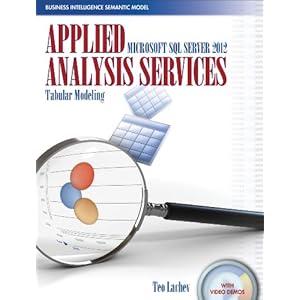
This included an introduction to a recently released book, pictured above, that helps dive into the topics of BI, empowered by SQL Server 2012. Now have these introduction post, it's time to take a step back a bit, and look at the larger picture, and vision of BI. Enter Business Intelligence Semantic Model (BISM).


Image Courtesy of Microsoft


From the above image, we can see that BI is taking shape in three real domains of context, and therefore development. First we have the Personal BI, followed by Team BI & finally Operational BI. A key understanding from this point, at least from the vision point of view, is Microsoft's focus on 'One Model for all End User Experiences'.

This was a driving theme behind Microsoft's adoption of technologies like VertiPaq that are enabling the Tabular Modeling concepts. As well, this still very much includes, vs. excludes, traditional BI concepts like OLAP Cubes.

If we look at this starting from the personal BI, we see technologies, that are very much apart of Microsoft Dynamics AX 2012 total solution. Starting with Personal BI and it's heavy use of Microsoft PowerPivot, through SharePoint and finally Analysis Services.


Image Courtesy of Microsoft


Moving forward, into the architecture of what will make up the BI Semantic Model, we see again, familiar and current use technologies that enable this reality. technologies, like SQL Server, Cloud based Data Services as we as OData Feeds.


We can see, already, that technologies like Microsoft PowerPivot can be used with enabling technologies like the Open Data Protocol or OData Feeds, can be used, correctly with AX 2012, to consume Query objects, for example, which enable this Personal BI, today. Having the above understanding of the BI Semantic Model, mixed with this understanding and we can see again how SQL Server 2012 will be used, and enable it's reality natively with Microsoft Dynamics AX 2012 RC2, scheduled for release in 2013.

To help better understand this vision & Microsoft roadmap, a great article was authored last May, that goes deeper into these topics.: Analysis Services – Vision & Roadmap Update

From the article:
"The BI Semantic Model is one model for all end user experiences – reporting, analytics, scorecards, dashboards, and custom applications. All client tools in the Microsoft BI stack – Excel, PowerPivot, SharePoint Insights and Reporting Services (including Crescent) – operate on this model. BI professionals can create the model in Visual Studio and deploy it to an Analysis Services server. Interestingly, the model can also be created by business users with PowerPivot for Excel and shared via PowerPivot for SharePoint. PowerPivot and Analysis Services are two different products; one targets business users and the other targets BI professionals and IT. However both use the BI Semantic Model under the covers."


Image Courtesy of SQLServerPerformance


Taking this understanding around the vision further, and going back to a focus around technical understanding, there is another great article, created by the SQLServerPerformance Site.: Getting Started with Business Intelligence Semantic Model (BISM) in SQL Server 2012

From the post:
"The Business Intelligence Semantic Model is one of the most significant enhancements in SQL Server 2012. BISM allows aspects of the traditional multidimensional model to coexist with the relational model in a format called the tabular model and can be used with all client tools in the Microsoft BI stack."

As you can see, the landscape of BI, offered from Microsoft, natively within the stack and products is getting a massive overhaul, and going to truly enable the 'BI for the Masses' tag line that has been a goal for many years now for Microsoft. These new offerings, are going to be natively used and very much a part of Microsoft Dynamics AX 2012 RC2. This will have a lasting impact, positive one in my thoughts, for how we even define Business Intelligence within the Dynamics Community.

That's all for this Friday, I hope that these post so far has your wheels turning, and your thinking hard about how this can benefit you and your companies Dynamics AX investment. Value is the focus, reducing time-to-value is the art, and for BI what we are seeing with SQL Server 2012's release brings the tools. Till Next Time!


Visit Hillstar Business Intelligence (www.HillstarBI.com) in order to truly unlock your data trapped in your Microsoft Dynamics investment. With our value driven business intelligence strategy Hillstar help you transform into a data informed company.


Follow Me @:
RSS Feed  LinkedIn  Twitter

"Visit the Dynamics AX Community Page today!"

Labels: , , , , , , , , , , , , ,

Friday, February 01, 2013

Understanding the natural flow of the BI Semantic Model


Today, I wanted to spend time talking through the natural flow that the BI semantic model, when followed, lays out for a customer. This is a very important topic to understand, and one that helps build out a System of Engagement for clients. In a recent post, I talked to the important point of Data Ownership. Now taking that into consideration, we can start to shape a real BI story for customers with the BI Semantic model approach.


In the past, IT departments would be tasked with Report Development that created a seemingly never ending loop. This undesired loop, would create scope and scope creep for reporting needs that never seemed to get truly fulfilled. The users where unhappy with this, as well as the IT pro's trying to solve the business needs. The major issue in that caused the process to mature into a true dilemma, was that the report definition, the questions to be asked, was unavoidably placed in the wrong hands. This goes back to the point of data ownership, and further giving the ability of the users that own and know the data, secure access to form the questions and creating the reporting elements to empower their business.

This is where Personal BI, from the BISM, comes into play. You see, when the questions are well known and report execution needs scale then we have great candidates for Organizational BI artifacts. That is, the data elements are well known for what should be measured and how such data elements should be sliced & diced for user consumption. Getting to that point however, is the goal and beauty of true Personal BI processes and artifacts.


Enter PowerPivot! It's ability to consume mass amounts of data, and truly help create star like schema's with ease, enabling power users to work with the data they own is unmatched. It's simplicity and power, help enable elegant BI artifact creation, through a similar look and feel via Office & Excel. This is where users can easily be truly empowered to securely work with their data from Microsoft Dynamics AX as well as other LOB application data. IT departments give this secure access to users, which helps address concerns of data integrity, while users can then form the questions that should be asked, that drive true business insight.


Having this starting point, users can further be enabled to engage their team via SharePoint for true collaboration, or Team BI. PowerPivot and office are not the tools that can be used to generate valid & valuable personal BI artifacts. Other outputs can be produced, scheduled and consumed via SharePoint. This in turn helps feed into the Role Centers that engage the user based, and starts the flow from Personal to Organizational BI within an organization.

Once published to SharePoint, teams can start sharing and collaborating on BI artifacts that drive critical business decision. Further, this is the intersection to where the IT department, via SharePoint tools, can become aware of Team BI artifacts that need to scale for the entire company. These Team BI artifacts, that have now been vetted and in full use, give the IT department known questions that need to be answered, and give them insight into how the business is needing to use their data.


Here we enter into the Organizational BI artifact creation, that is fueled by Personal BI artifacts. Through the use of SharePoint technology, IT Departments can be given insights into the use of such collaborative BI needs and use such artifacts as the starting point and guide for scaling out such data needs. This is where true cube creation, for analytical reporting can start from a PowerPivot artifact. Where IT departments and end users are no longer caught in a viscous cycle of report development madness. Instead they are both empowered through the adoption and use of the BI Semantic Model, and it's natural flow from Personal, to Team and through to Organizational BI needs.

This then allows a cycle for the users that own the data, to help form the questions, that ultimately power Organizational business insight and eventual scale for the company. Allowing a satisfied user base, and an IT department that helps put a companies data to work for them. This is all very possible for Microsoft Dynamics AX customers. If your interested in finding out more, let me show you how my team at Sunrise Technologies, Inc can help turn your users into fans, and create a true System of Engagement for your company!

That's all I have for this post, and this week. Check back soon as more to come, and as I make my move starting today as Director of Business Intelligence for Sunrise Technologies! Till Next Time!
Follow Me @:
   RSS Feed  LinkedIn  Twitter

"Visit the Dynamics AX Community Page today!"

Labels: , , , , , , , , ,

Friday, June 07, 2013

AX 2012 R2 & The Power of Personal BI


I hope everyone finds themselves doing well this fine summer Friday. Always something about Friday's, and specifically those where the sun stays out and beckons us back to our childhood days. With that, I wanted to post today and bring to your reading attention an upcoming virtual event. It's free and you can attend right from your desk. This event is being hosted by MSDynamicsWorld.com a long time sponsor of this blog.


The event is next Friday, June 14th starting at 11:00 AM EST. The following is a description from the event.: (register here)
"The real value of business intelligence (BI) comes from crafting a story based on an organization's data. For the manager, analyst, or individual contributor, BI typically begins with desktop tools like Microsoft Excel. With the right skills and know-how, personal BI can become the gateway to a robust BI initiative at any organization.


Visit Hillstar Business Intelligence (www.HillstarBI.com) in order to truly unlock your data trapped in your Microsoft Dynamics investment. With our value driven business intelligence strategy Hillstar help you transform into a data informed company.

Join Microsoft Dynamics AX MVP and BI expert Brandon George of Sunrise Technologies for an examination of Microsoft PowerPivot & Power View with Dynamics AX 2012 R2. The webcast will look at how these tools can empower both functional and technical resources at the individual level to discover new insights and improve operational outcomes. Learn how to put data to work and further build towards organizational BI needs from personal BI artifacts."


The event represented above, is specifically around Microsoft Dynamics AX 2012 R2 & Personal BI. I've wrote a lot about this topic in the past, and so I think its very important to reference such resources in regard to this upcoming event. The following is such a list, that I think would be helpful to anyone who is wanting to attend, or already signed up to do so.


With the above resources your well on the way to understanding what will be talked to and covered in this upcoming event. I would highly encourage you to attend it, as I'm planning for it to be engaging! Speaking of engaging, that is the whole goal we after. All of this, every bit of it builds to the point of creating a System of Engagement. Where we can truly help turn users, into fans!

Well that it's for now, I will be back to posting next week with some really interesting stuff. Anyone want to go on the wild ride of predictive analytic's? It's like stepping into a quantum time machine! Well it's really more about understanding & owning your companies data assets. That's whats coming soon, so check back next week and make sure to attend next Friday's virtual event!

Finally, if you would like to know more about putting your companies data to work for you. Then make sure to reach out, and contact Sunrise Technologies so we can help craft a BI & reporting story for you! Til Next Time!


Visit Hillstar Business Intelligence (www.HillstarBI.com) in order to truly unlock your data trapped in your Microsoft Dynamics investment. With our value driven business intelligence strategy Hillstar help you transform into a data informed company.


Follow Me @:
   RSS Feed  LinkedIn  Twitter

"Visit the Dynamics AX Community Page today!"

Labels: , , , , , , , , , , ,

Monday, May 14, 2012

AX 2012 Personal BI - By Example - Customer Aging III


Well I hope everyone is having a great start to a brand new week! I wanted to write today to continue our focus on the PowerPivot Example for personal BI with AX 2012 - CustomerAging III. For those that are just now getting into this series, the following are links to the previous two post for this topic.

Last we left off, we had placed the Open Balance in the values area, as well as having created a computed column that concatenated both the AccountNum - Name, to give us our Customer column. We placed this in the row labels, and we have now what you see in the screen shot below.


Now lets continue this effort, by adding a column label, that will give us our buckets of aging, or aging intervals. In order to do that, we will need to identify from the PowerPivot query, what field best fits this need. Since I know this query well, I know that the field.: StatRepIntervalLine_1_Heading is what we are looking for.


Now that we have placed this as our Column Label, lets take a look at the report area, and see what our data looks like with the change.


As we can see from the above image, we now have our aging category, or buckets - that being made up of the StatRepIntervalLine datasource from the query within AX 2012. This further split up the Customer account information, so we have better insight into what our customer aging really looks like.

Now that we have our aging intervals, lets continue by adding both hortizonal and vertical slicers. These slicers are used to slice the displayed data in our report, so that we can get a dynamic glimpse by the values in which we choose to slice by. This helps make the report very dynamic and interactive within the scope of the workbook itself. Our targets for these slicers are "Customer Group" or CustGroup_1_Name for the vertical slicer, and "Aging Category" or StatRepIntervalLine_1_Heading for the horizontal slicer selection, as seen below.


Like the Value label before, lets change the name of these two slicer columns so they help make the report have a friendly consumption experience. Doing so, should yield an outcome, similar to what you see below.


Now that we have our slicers, and can look at our Customer Aging data in several different ways, let continue to finish out this report, by adding some conditional formatting. With this formatting, the idea is to take and place some visual cue to the data itself. This conditional formatting, as the name implies, will change based on the conditions we set forth.

This Conditional formatting can be added to any Excel workbook, and you launch the setup of such formatting from the Home ribbon within Excel 2010. Below is a screen shot of where to launch this from.


With this, the idea is to give some sort of data based formatting, that gives a nice visual cue to the report. It helps the numbers stand out, so that we can further have a truly refined Customer Aging report, from AX 2012. In adding the conditional formatting, you should end up with an output similar to that we have below here.


Now that we have a nice report, we have basically finished our first series on Personal BI for AX 2012 with PowerPivot. Notice that we actually left the scope of AX 2012 in the first part of this series. Since then we have been working 100% in the scope of PowerPivot & Excel 2010. The Query, when we imported the data, created a snapshot of the data and actually created a cube for us.

This data lives within the workbook, which can support up to 4 GB of size for imported data. The next steps in this would be to take this report and publish it to SharePoint, that would start the next phase in the BISM, which is a focus on Team Based BI, or collarbative BI.

We will pick back up on this series doing just that, and adding this as a WebPart, so we can place on AX 2012 role center pages. We will see how no development is needed, to publish this new personal BI artifact, the excel workbook, to SharePoint. Further we will see how little effort it takes to consume this workbook as a webpart and place it on an AX 2012 Role Center page.

Well I hope everyone has a great week, and check back soon as more to come. Till Next Time!
Follow Me @:
RSS Feed  LinkedIn  Twitter

"Visit the Dynamics AX Community Page today!"

Labels: , , , , , , , , , , , , , , ,


Copyright 2005-2011, J. Brandon George - All rights Reserved